Wild Elegance: Wolf's Embrace - Flux.1 dev
prompt
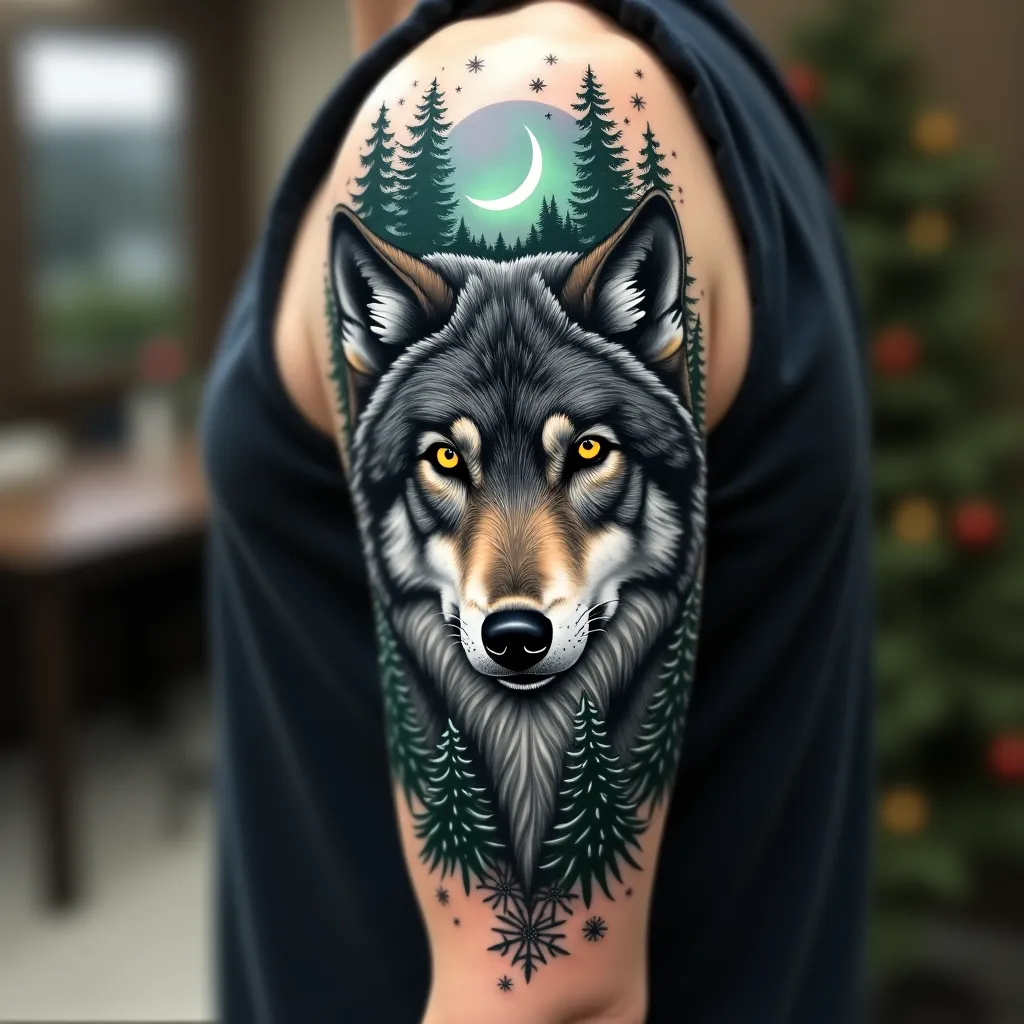
Create a hyper-realistic portrait of a majestic gray wolf on the upper arm, spanning from shoulder to elbow. The wolf's piercing yellow eyes should be the focal point, with intricate details in the fur texture. Integrate forest elements seamlessly: pine branches framing the wolf's face, with a crescent moon peeking through. Add subtle Northern Lights in the background, using muted greens and purples. Incorporate delicate snowflakes scattered throughout, giving a sense of a winter forest. The tattoo should wrap around the arm, with the wolf's face on the outer bicep and the forest scene extending to the inner arm. Use a color palette of cool grays, deep blues, and forest greens, with pops of yellow in the eyes and hints of aurora borealis colors. Emphasize a mix of sharp, precise lines for the wolf's features and softer, more organic shapes for the forest elements. The overall aesthetic should evoke a sense of wild beauty and quiet strength, symbolic of nature's resilience.
Analisis Terperinci Prompt Gambar Flux AI
Analisis prompt terperinci yang digunakan untuk menghasilkan gambar dengan Generator Gambar Flux AI.
Jelajahi Prompt Flux untuk Generator Gambar AI Flux
Cara menghasilkan gambar dengan Flux.1 dev
Ikuti empat langkah sederhana ini untuk membuat gambar yang Anda inginkan.
Langkah 1: Masukkan Teks Anda (Silakan sempurnakan prompt untuk hasil yang lebih baik)
Langkah 2: Pilih Rasio Aspek Gambar
Langkah 3: Pilih Model Flux Anda:
Langkah 4: Klik Tombol Buat dan Tunggu Beberapa Detik untuk Gambar Anda
Alat Flux AI terkait untuk prompt tentang Flux.1 dev
Temukan alat-alat canggih dari Flux AI untuk meningkatkan alur kerja kreatif Anda.