Forearm-BioMechanical Gears - Flux.1 schnell
Invite
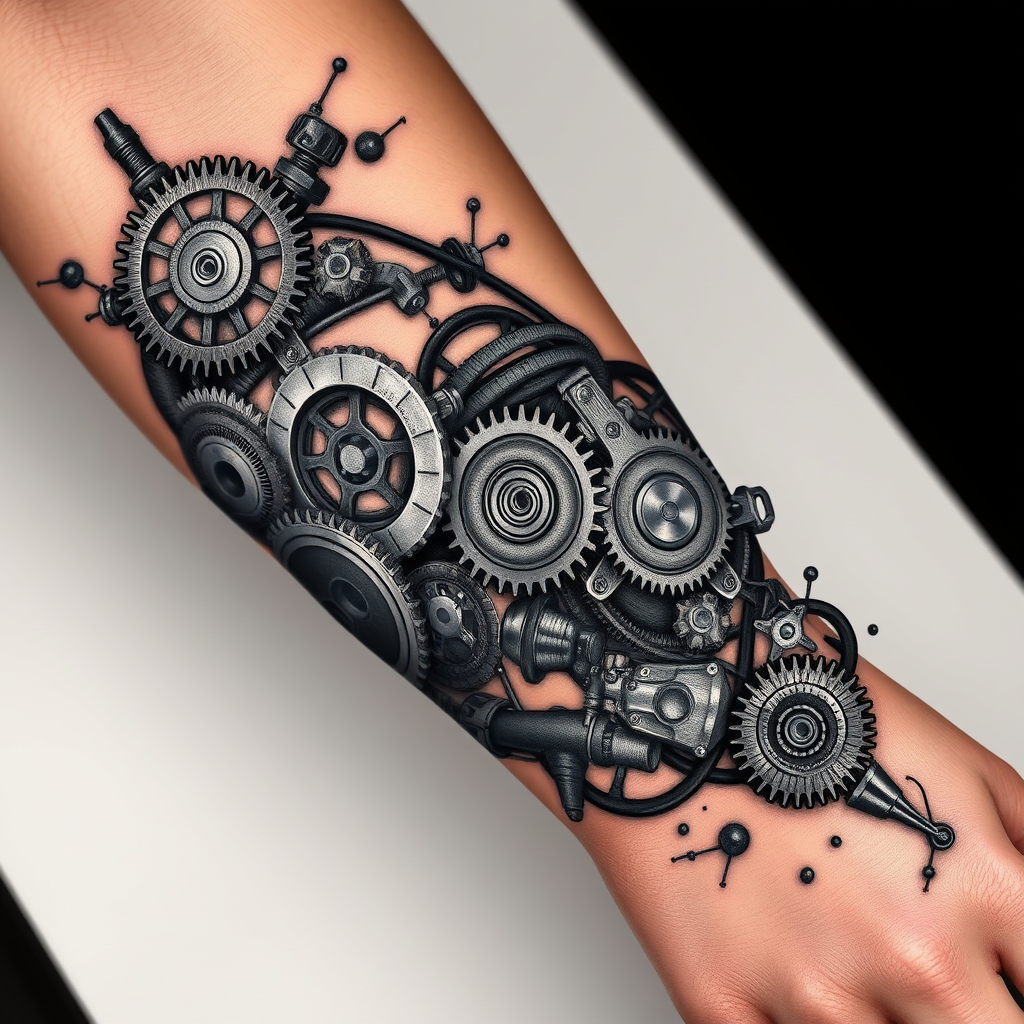
**Prompt:** "Design a highly detailed **bio-mechanical forearm tattoo** featuring intricate interlocking **gears, pistons, and mechanical components** that appear to emerge from beneath the skin. Use a **realistic 3D style** with precise shading to create depth, as if the inner machinery is visible through torn flesh. Place the design along the **outer forearm**, wrapping slightly around the arm for a dynamic flow. Opt for a **black and gray palette** with subtle metallic highlights to enhance realism. Include fine **etchings, bolts, and hydraulic lines** for texture, blending organic tissue with mechanical elements. The mood should be **futuristic yet organic**, evoking a sense of hidden power and precision. Scale should cover **2/3 of the forearm**, balancing complexity with wearability." (999 characters)
Analyse Détaillée du Prompt d'Image Flux IA
Analysez le prompt détaillé utilisé pour générer l'image avec Flux IA Image Generator.
Explorez les invites Flux IA
Comment générer une image par Flux.1 schnell
Suivez ces quatre étapes simples pour créer l'image désirée.
Étape 1 : Entrez votre texte (N'hésitez pas à affiner votre prompt pour de meilleurs résultats)
Étape 2 : Choisissez le ratio d'aspect de l'image
Étape 3 : Sélectionnez votre modèle Flux :
Étape 4 : Cliquez sur le bouton Générer et attendez quelques secondes pour votre image
Outils Flux IA liés aux prompts sur Flux.1 schnell
Découvrez des outils avancés de Flux IA pour booster votre flux de travail créatif.