Forearm-BioMechanical Gears - Flux.1 schnell
提示
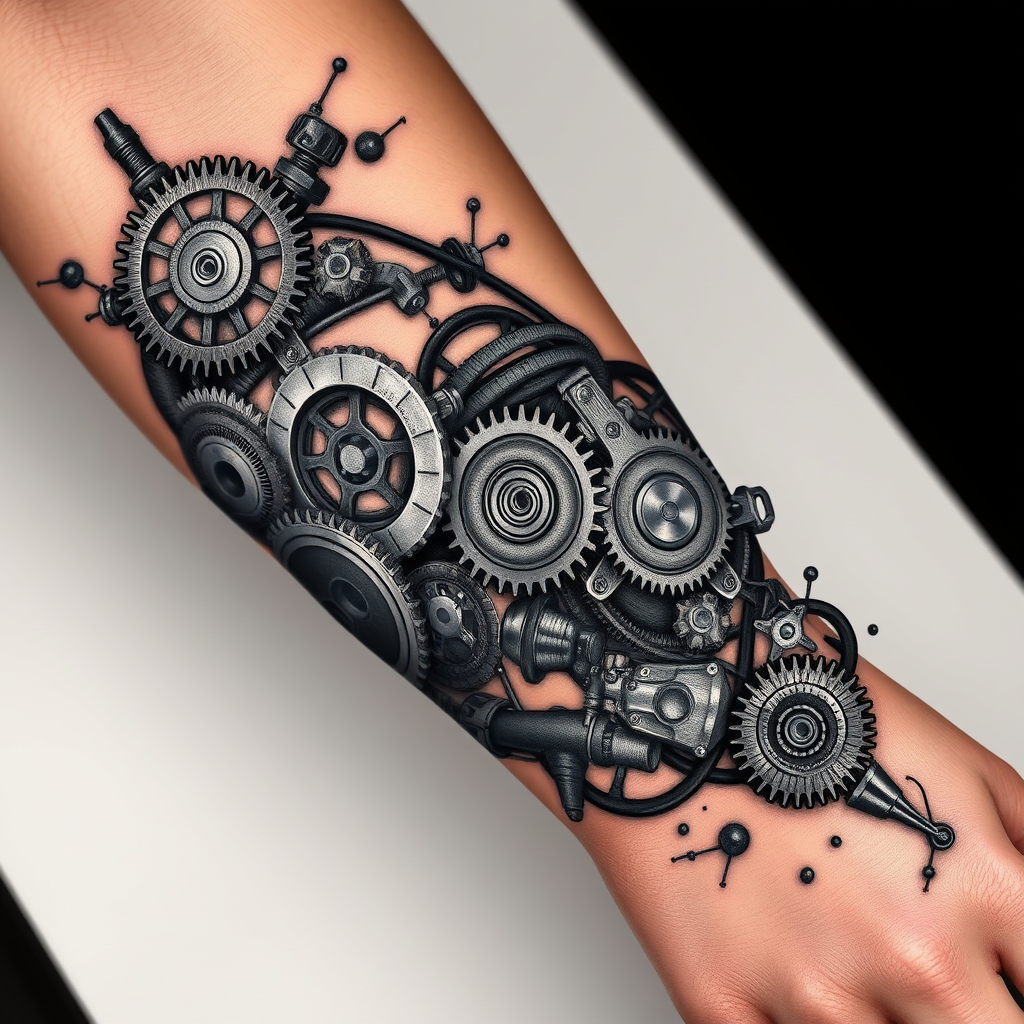
**Prompt:** "Design a highly detailed **bio-mechanical forearm tattoo** featuring intricate interlocking **gears, pistons, and mechanical components** that appear to emerge from beneath the skin. Use a **realistic 3D style** with precise shading to create depth, as if the inner machinery is visible through torn flesh. Place the design along the **outer forearm**, wrapping slightly around the arm for a dynamic flow. Opt for a **black and gray palette** with subtle metallic highlights to enhance realism. Include fine **etchings, bolts, and hydraulic lines** for texture, blending organic tissue with mechanical elements. The mood should be **futuristic yet organic**, evoking a sense of hidden power and precision. Scale should cover **2/3 of the forearm**, balancing complexity with wearability." (999 characters)
Flux AI 圖像提示的詳細分析
分析使用 Flux AI 圖像生成器生成圖像所使用的詳細提示。
探索 Flux AI 圖像生成器的提示
如何通過 Flux.1 schnell
遵循以下四個簡單步驟來創建您想要的圖片。
步驟 1:輸入您的文字 (可自由調整提示以獲得更好的結果)
步驟 2:選擇圖片的縱橫比
步驟 3:選擇您的 Flux 模型:
步驟 4:點擊生成按鈕並等待幾秒鐘獲取您的圖片
與提示相關的 Flux AI 工具 Flux.1 schnell
發現來自 Flux AI 的高級工具,提升您的創意工作流程。