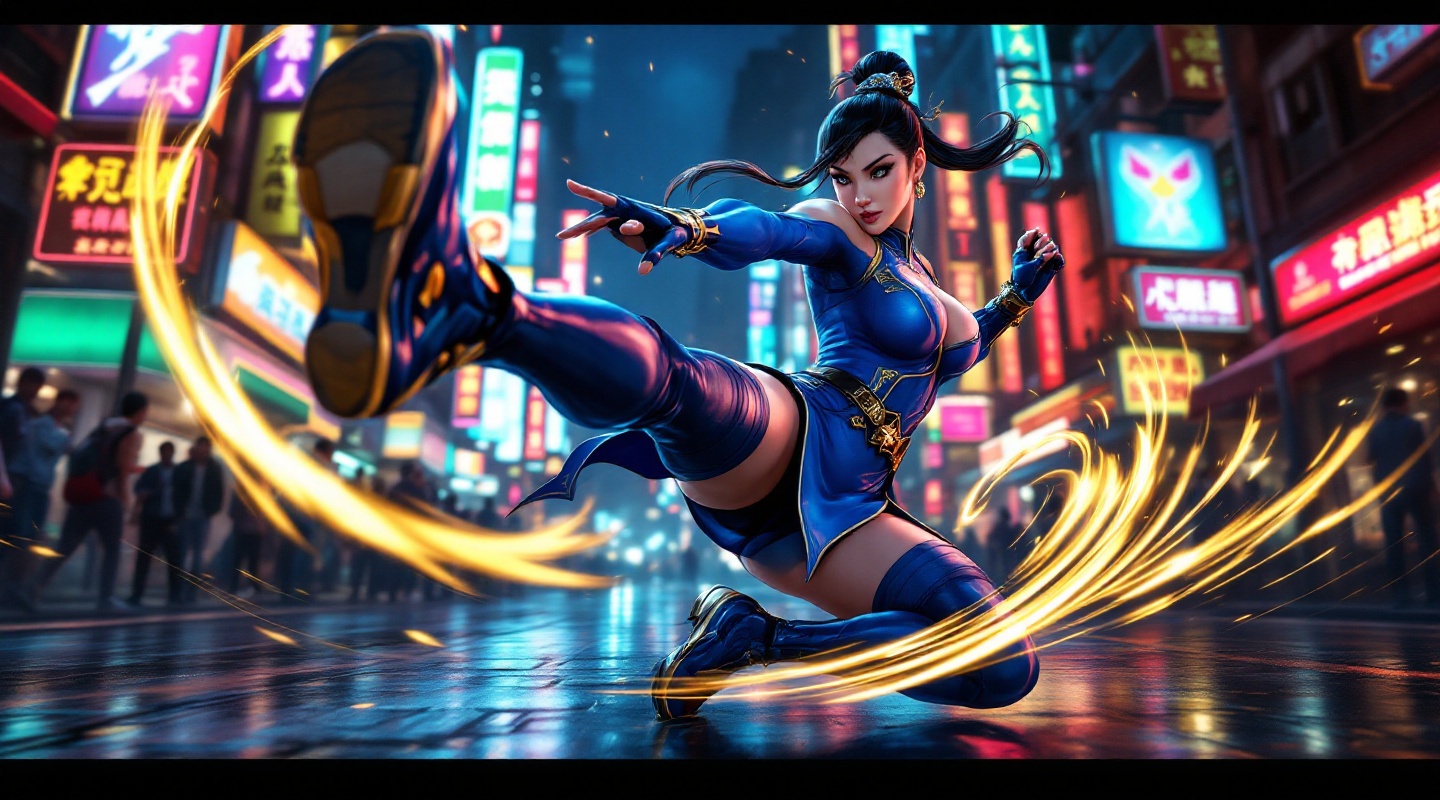
《Street Fighter 6》-Chun-Li - Flux.1.1 pro
Invite
**Prompt:** *"A dynamic action shot of Chun-Li from *Street Fighter 6*, the iconic fighting game, in mid-combat stance. She wears her modernized blue qipao with gold accents, thigh-high stockings, and combat boots, muscles tensed for a powerful kick. The background is a neon-lit urban street in Metro City, bustling with spectators and glowing signs reflecting off wet pavement. Her signature Spinning Bird Kick is captured in motion, energy trails swirling around her legs. The atmosphere is electric—high-energy, vibrant, and cinematic—with dramatic lighting emphasizing her fierce expression and fluid movement. Ultra-detailed, bold colors, and a mix of realism and stylized anime aesthetics."* (Characters: 598)
Analyse Détaillée du Prompt d'Image Flux IA
Analysez le prompt détaillé utilisé pour générer l'image avec Flux IA Image Generator.
Explorez les invites Flux IA
Comment générer une image par Flux.1.1 pro
Suivez ces quatre étapes simples pour créer l'image désirée.
Étape 1 : Entrez votre texte (N'hésitez pas à affiner votre prompt pour de meilleurs résultats)
Étape 2 : Choisissez le ratio d'aspect de l'image
Étape 3 : Sélectionnez votre modèle Flux :
Étape 4 : Cliquez sur le bouton Générer et attendez quelques secondes pour votre image
Outils Flux IA liés aux prompts sur Flux.1.1 pro
Découvrez des outils avancés de Flux IA pour booster votre flux de travail créatif.