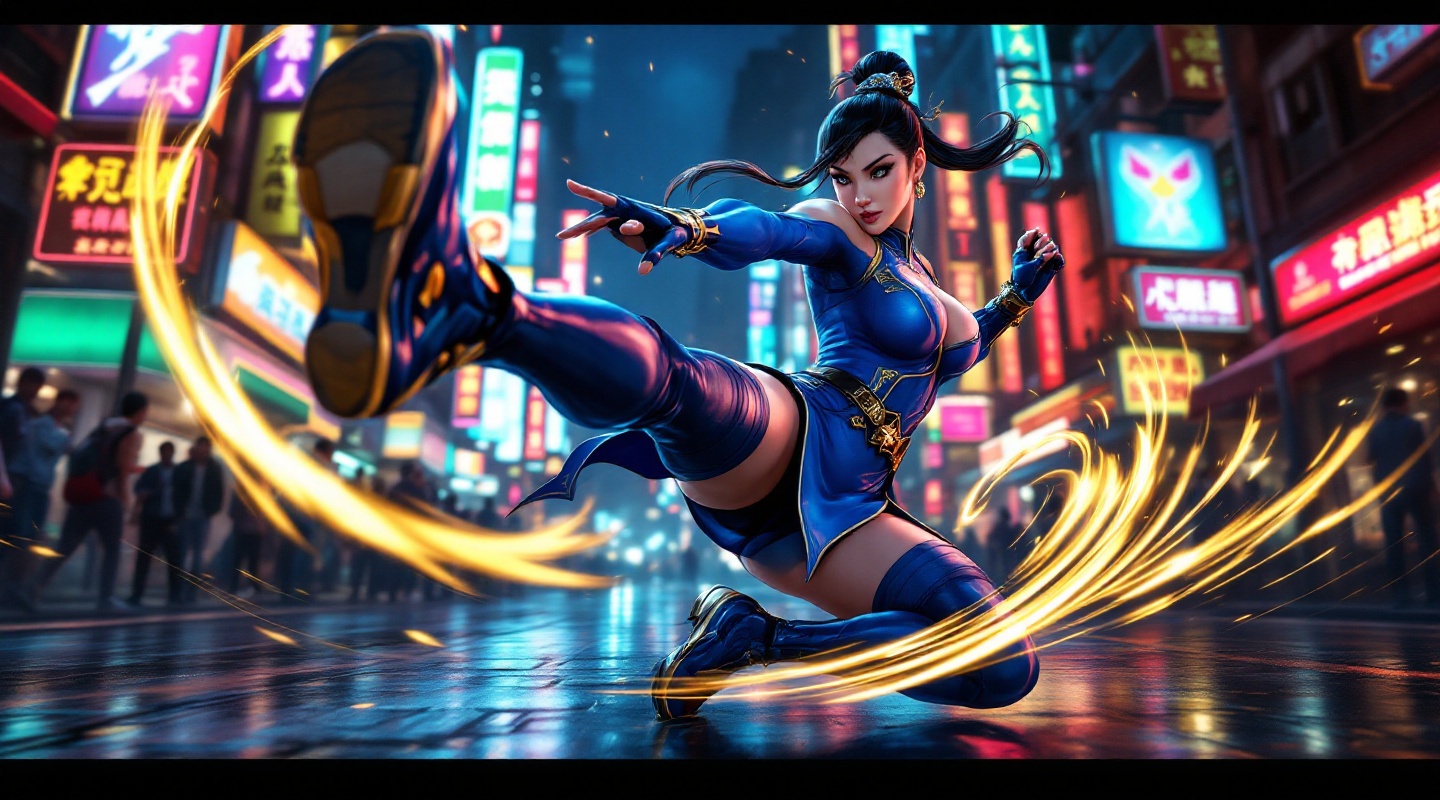
《Street Fighter 6》-Chun-Li - Flux.1.1 pro
Prompt
**Prompt:** *"A dynamic action shot of Chun-Li from *Street Fighter 6*, the iconic fighting game, in mid-combat stance. She wears her modernized blue qipao with gold accents, thigh-high stockings, and combat boots, muscles tensed for a powerful kick. The background is a neon-lit urban street in Metro City, bustling with spectators and glowing signs reflecting off wet pavement. Her signature Spinning Bird Kick is captured in motion, energy trails swirling around her legs. The atmosphere is electric—high-energy, vibrant, and cinematic—with dramatic lighting emphasizing her fierce expression and fluid movement. Ultra-detailed, bold colors, and a mix of realism and stylized anime aesthetics."* (Characters: 598)
Análise Detalhada do Prompt de Imagem Flux IA
Analise o prompt detalhado usado para gerar a imagem com o Flux IA Image Generator.
Explore Prompts Flux para o Gerador de Imagens
Como gerar uma imagem por Flux.1.1 pro
Siga estes quatro passos simples para criar a imagem desejada.
Passo 1: Insira seu texto (Sinta-se à vontade para refinar seu prompt para melhores resultados)
Passo 2: Escolha a proporção da imagem
Passo 3: Selecione seu modelo Flux:
Passo 4: Clique no botão Gerar e aguarde alguns segundos para sua imagem
Ferramentas Flux IA relacionadas a prompts sobre Flux.1.1 pro
Descubra ferramentas avançadas da Flux IA para melhorar seu fluxo de trabalho criativo.