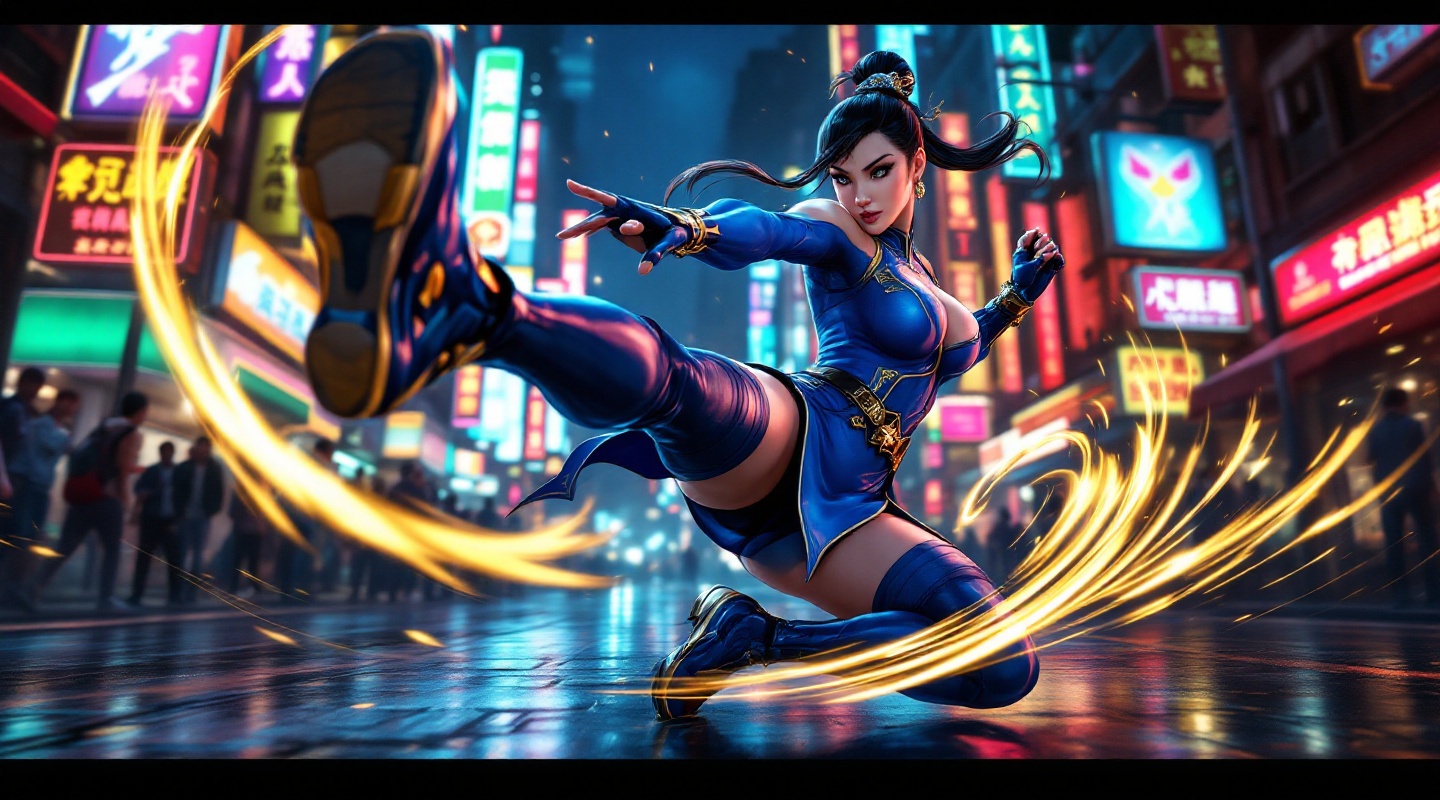
《Street Fighter 6》-Chun-Li - Flux.1.1 pro
Lời nhắc
**Prompt:** *"A dynamic action shot of Chun-Li from *Street Fighter 6*, the iconic fighting game, in mid-combat stance. She wears her modernized blue qipao with gold accents, thigh-high stockings, and combat boots, muscles tensed for a powerful kick. The background is a neon-lit urban street in Metro City, bustling with spectators and glowing signs reflecting off wet pavement. Her signature Spinning Bird Kick is captured in motion, energy trails swirling around her legs. The atmosphere is electric—high-energy, vibrant, and cinematic—with dramatic lighting emphasizing her fierce expression and fluid movement. Ultra-detailed, bold colors, and a mix of realism and stylized anime aesthetics."* (Characters: 598)
Phân tích Chi tiết về Prompt Hình ảnh Flux AI
Phân tích prompt chi tiết được sử dụng để tạo ra hình ảnh với Flux AI Image Generator.
Khám phá Flux Prompts cho Trình tạo hình ảnh Flux AI
Cách tạo hình ảnh bằng Flux.1.1 pro
Theo dõi bốn bước đơn giản dưới đây để tạo ra hình ảnh bạn mong muốn.
Bước 1: Nhập Văn bản của Bạn (Cảm thấy tự do tinh chỉnh prompt của bạn để có kết quả tốt hơn)
Bước 2: Chọn Tỷ lệ Khung Hình của Hình ảnh
Bước 3: Chọn Mô hình Flux của Bạn:
Bước 4: Nhấn Nút Tạo và Chờ vài Giây để Có Hình ảnh của Bạn
Công cụ Flux AI liên quan đến prompts về Flux.1.1 pro
Khám phá các công cụ nâng cao từ Flux AI để tăng cường quy trình làm việc sáng tạo của bạn.