Nunlet - Flux.1 dev
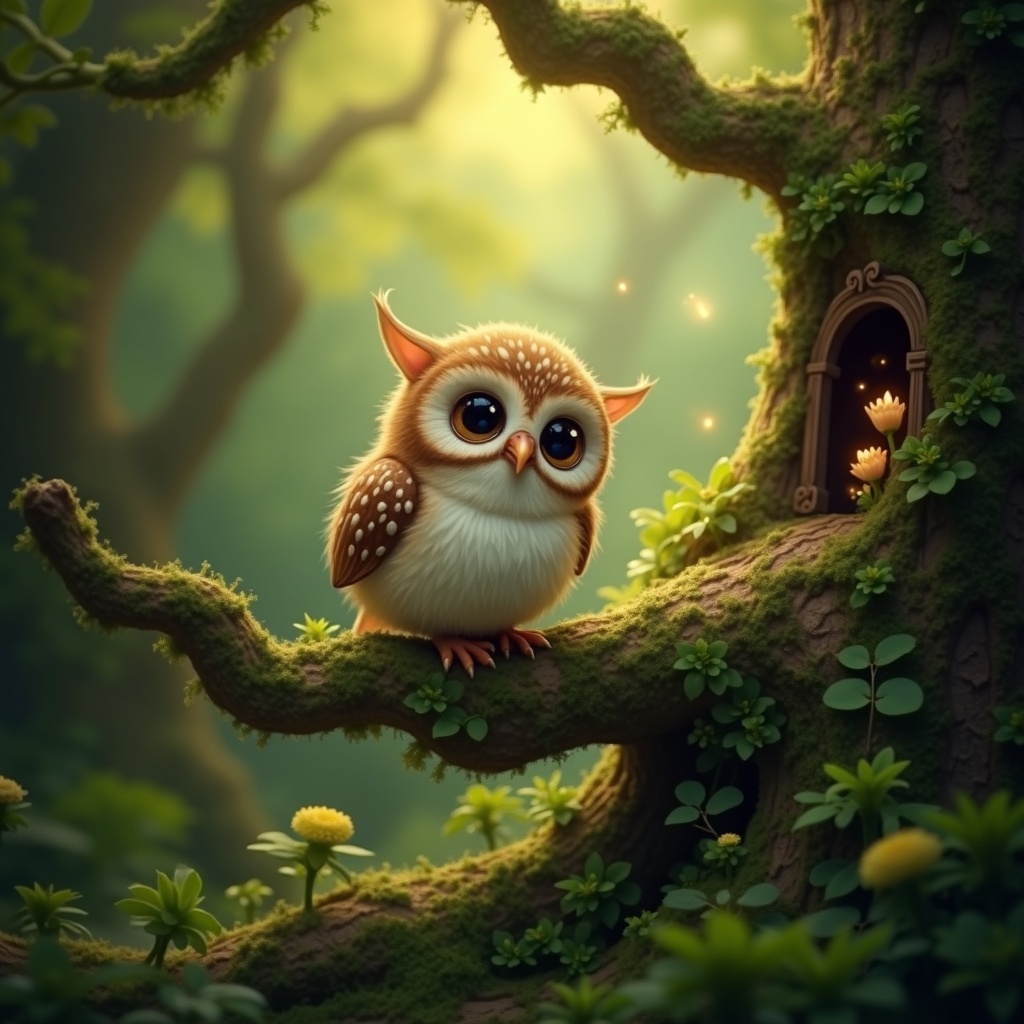
prompt
**Image Prompt:** A whimsical **Nunlet**, a tiny, owl-like bird with oversized, expressive eyes and soft, speckled plumage in earthy browns and creams, perches delicately on a gnarled, moss-covered branch. Its head tilts curiously, wings slightly spread as if caught mid-murmur. The background is a lush, enchanted forest—dappled sunlight filters through emerald-green leaves, casting golden flecks on velvety ferns and twisted roots below. **Style:** A blend of **fantasy realism and storybook illustration**, with intricate textures and subtle magical glow. **Lighting:** Warm, diffused, and ethereal, with soft shadows. **Color palette:** Rich forest greens, warm amber, and muted browns, accented by hints of bioluminescent blues. **Mood:** Peaceful yet mysterious, evoking quiet curiosity. **Composition:** Close-up, slightly low angle to emphasize the Nunlet’s innocent gaze, with shallow depth of field blurring the lush backdrop. **Extras:** A faint trail of glowing pollen drifts nearby, and a hidden fairy door peeks from the tree trunk, suggesting hidden woodland magic.
Analisi Dettagliata del Prompt Immagine Flux AI
Analizza il prompt dettagliato utilizzato per generare l'immagine con il Generatore Immagini Flux AI.
Esplora i Prompt Flux per il Generatore Immagini Flux AI
Come generare immagini con Flux.1 dev
Segui questi quattro semplici passaggi per creare l'immagine desiderata.
Passaggio 1: Inserisci il Tuo Testo (Sentiti libero di perfezionare il prompt per risultati migliori)
Passaggio 2: Scegli le Proporzioni dell'Immagine
Passaggio 3: Seleziona il Tuo Modello Flux:
Passaggio 4: Clicca il Pulsante Genera e Attendi Alcuni Secondi per la Tua Immagine
Strumenti Flux AI correlati per prompt su Flux.1 dev
Scopri strumenti avanzati di Flux AI per potenziare il tuo flusso di lavoro creativo.