Nunlet - Flux.1 dev
프롬프트
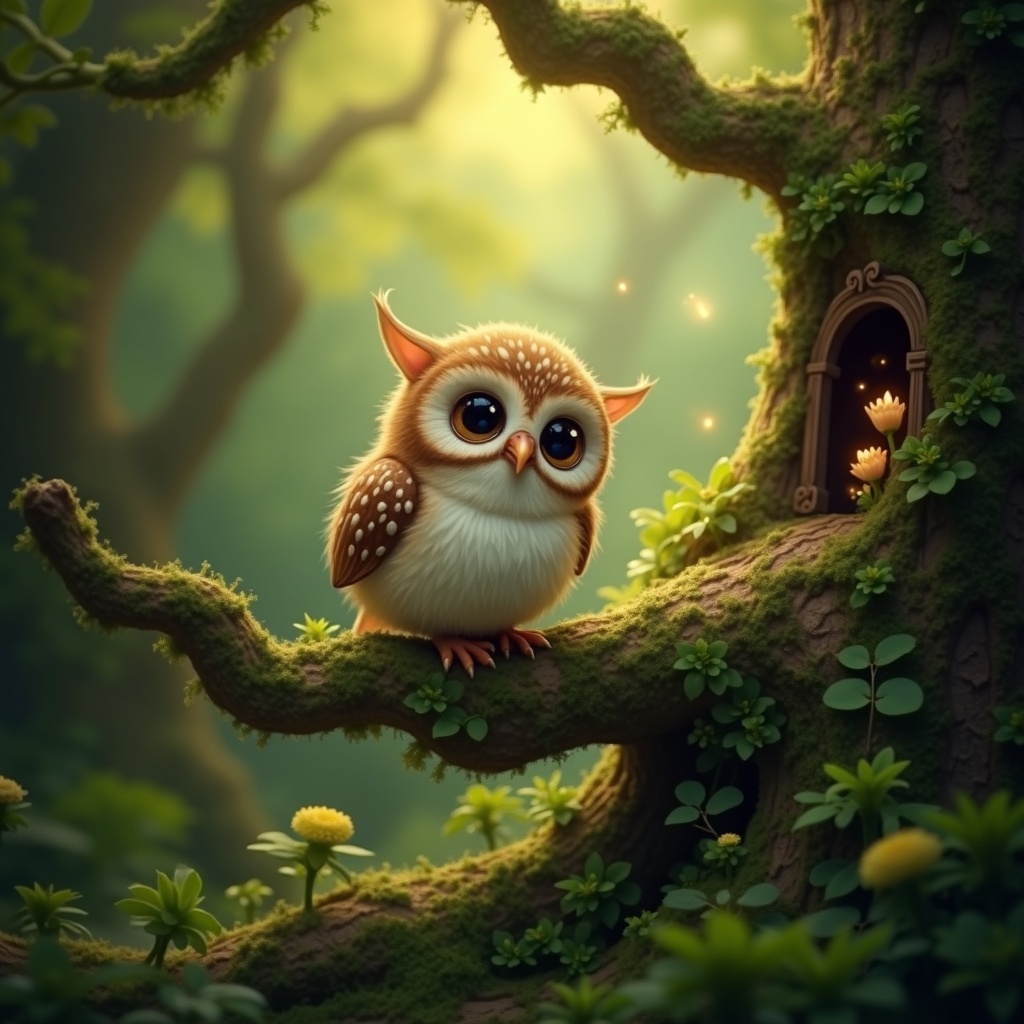
**Image Prompt:** A whimsical **Nunlet**, a tiny, owl-like bird with oversized, expressive eyes and soft, speckled plumage in earthy browns and creams, perches delicately on a gnarled, moss-covered branch. Its head tilts curiously, wings slightly spread as if caught mid-murmur. The background is a lush, enchanted forest—dappled sunlight filters through emerald-green leaves, casting golden flecks on velvety ferns and twisted roots below. **Style:** A blend of **fantasy realism and storybook illustration**, with intricate textures and subtle magical glow. **Lighting:** Warm, diffused, and ethereal, with soft shadows. **Color palette:** Rich forest greens, warm amber, and muted browns, accented by hints of bioluminescent blues. **Mood:** Peaceful yet mysterious, evoking quiet curiosity. **Composition:** Close-up, slightly low angle to emphasize the Nunlet’s innocent gaze, with shallow depth of field blurring the lush backdrop. **Extras:** A faint trail of glowing pollen drifts nearby, and a hidden fairy door peeks from the tree trunk, suggesting hidden woodland magic.
Flux AI 이미지 프롬프트에 대한 상세 분석
Flux AI Image Generator를 사용하여 이미지를 생성하는 데 사용된 상세한 프롬프트를 분석합니다.
Flux AI 이미지 생성기 프롬프트 탐색
을 통해 이미지를 생성하는 방법 Flux.1 dev
원하는 이미지를 만들기 위해 다음 네 가지 간단한 단계를 따르세요.
단계 1: 텍스트 입력 (더 나은 결과를 위해 프롬프트를 자유롭게 수정하세요)
단계 2: 이미지 종횡비 선택
단계 3: Flux 모델 선택:
단계 4: 생성 버튼을 클릭하고 몇 초간 기다려 이미지를 받으세요
프롬프트와 관련된 Flux AI 도구 Flux.1 dev
Flux AI의 고급 도구를 발견하여 창의적인 작업 흐름을 향상시키세요.