《13 Sentinels》-Iori Fuyusaka - Flux.1 dev
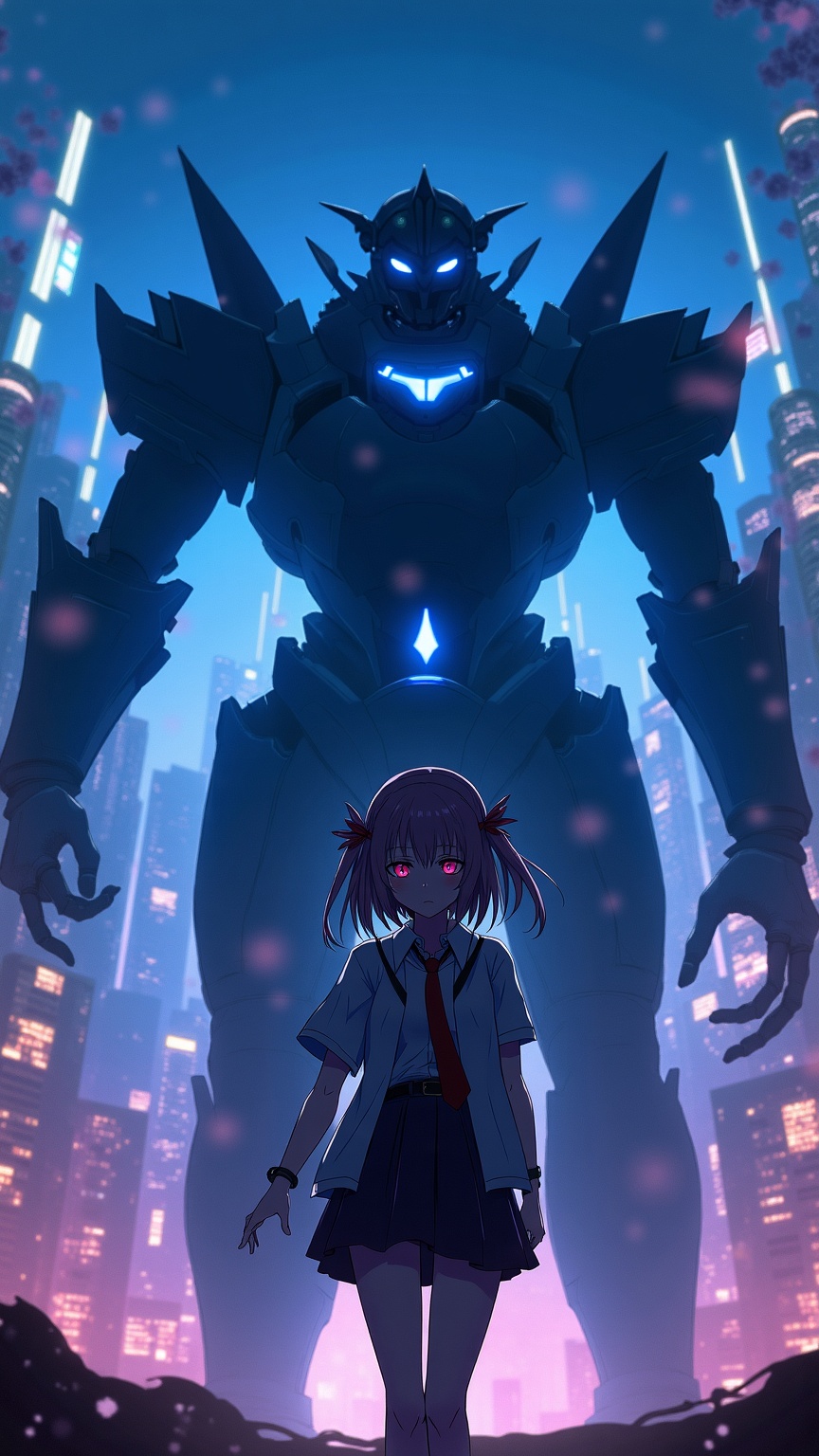
prompt
**Prompt:** "A cinematic portrait of Iori Fuyusaka from *13 Sentinels: Aegis Rim*, a sci-fi visual novel with mecha combat elements. She stands in a neon-lit urban dystopia, her school uniform blending with futuristic armor accents. Soft, melancholic eyes contrast with the chaotic glow of towering skyscrapers and flickering holograms. Behind her looms a massive Sentinel mech, its sleek, angular design pulsing with blue energy. Cherry blossoms drift through the air, symbolizing fleeting youth amidst war. The scene balances cyberpunk grit with emotional depth, using a moody palette of deep blues, purples, and warm highlights. Dynamic lighting casts dramatic shadows, emphasizing the tension between humanity and technology." *(Character count: 597)*
Analisi Dettagliata del Prompt Immagine Flux AI
Analizza il prompt dettagliato utilizzato per generare l'immagine con il Generatore Immagini Flux AI.
Esplora i Prompt Flux per il Generatore Immagini Flux AI
Come generare immagini con Flux.1 dev
Segui questi quattro semplici passaggi per creare l'immagine desiderata.
Passaggio 1: Inserisci il Tuo Testo (Sentiti libero di perfezionare il prompt per risultati migliori)
Passaggio 2: Scegli le Proporzioni dell'Immagine
Passaggio 3: Seleziona il Tuo Modello Flux:
Passaggio 4: Clicca il Pulsante Genera e Attendi Alcuni Secondi per la Tua Immagine
Strumenti Flux AI correlati per prompt su Flux.1 dev
Scopri strumenti avanzati di Flux AI per potenziare il tuo flusso di lavoro creativo.