《Apex Legends》-Lifeline - Flux.1 dev
prompt
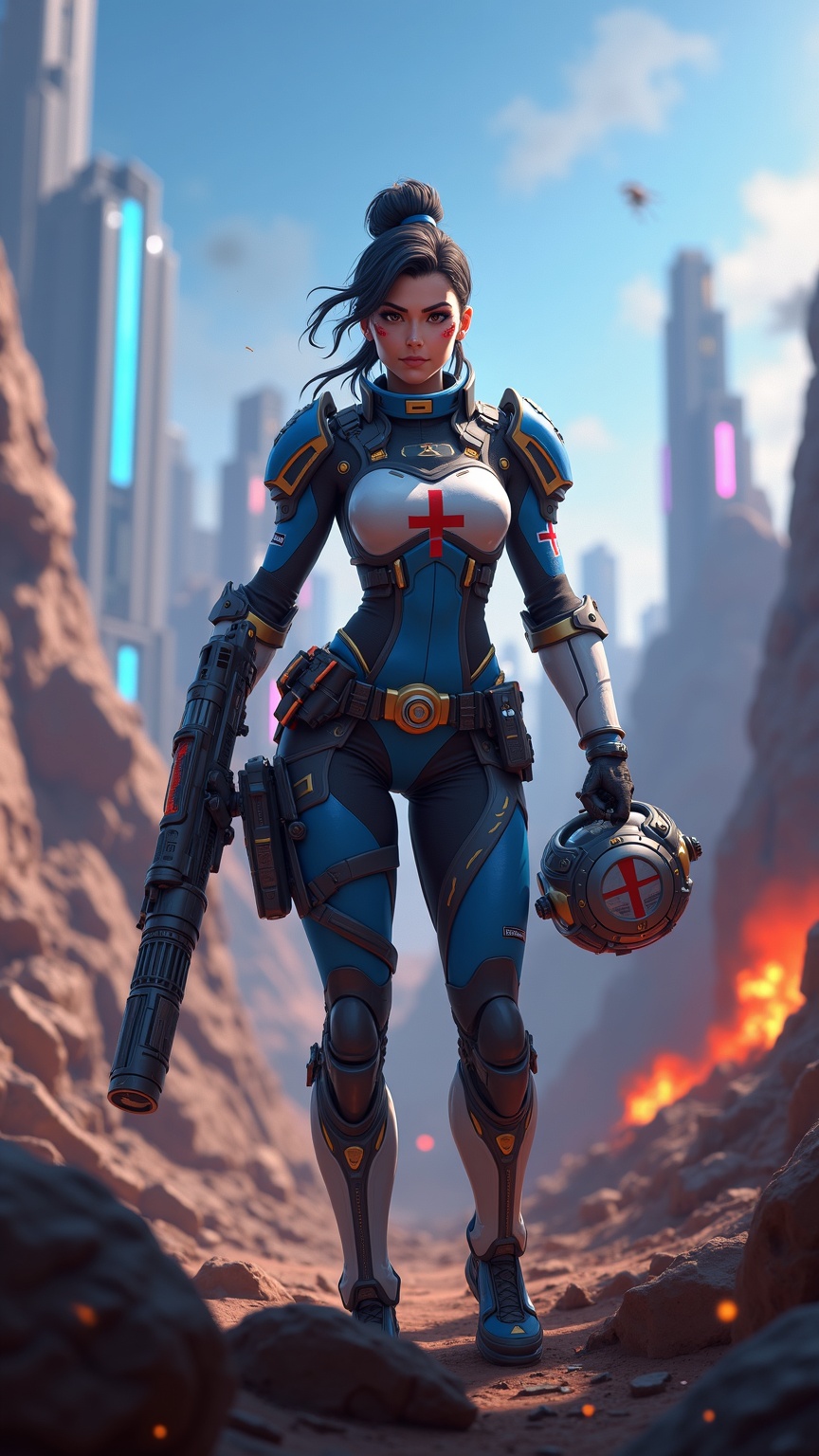
**Prompt:** *"Dynamic action shot of Lifeline from *Apex Legends*, a battle-hardened combat medic in a futuristic hero shooter. She wears her signature blue and white armor with gold accents, a red cross emblem on her chest, and fingerless gloves. Her confident stance exudes readiness, holding her *D.O.C. Heal Drone* in one hand and her *Peacekeeper* shotgun in the other. The backdrop is a war-torn Kings Canyon battlefield—crumbling ruins, neon-lit skyscrapers in the distance, and smoke billowing from explosions. The scene is vibrant yet gritty, with dramatic lighting casting long shadows. The mood is intense yet hopeful, capturing Lifeline’s role as a resilient healer in the chaos of the Apex Games."* *(Characters: 999)*
Analisi Dettagliata del Prompt Immagine Flux AI
Analizza il prompt dettagliato utilizzato per generare l'immagine con il Generatore Immagini Flux AI.
Esplora i Prompt Flux per il Generatore Immagini Flux AI
Come generare immagini con Flux.1 dev
Segui questi quattro semplici passaggi per creare l'immagine desiderata.
Passaggio 1: Inserisci il Tuo Testo (Sentiti libero di perfezionare il prompt per risultati migliori)
Passaggio 2: Scegli le Proporzioni dell'Immagine
Passaggio 3: Seleziona il Tuo Modello Flux:
Passaggio 4: Clicca il Pulsante Genera e Attendi Alcuni Secondi per la Tua Immagine
Strumenti Flux AI correlati per prompt su Flux.1 dev
Scopri strumenti avanzati di Flux AI per potenziare il tuo flusso di lavoro creativo.