《Apex Legends》-Lifeline - Flux.1 dev
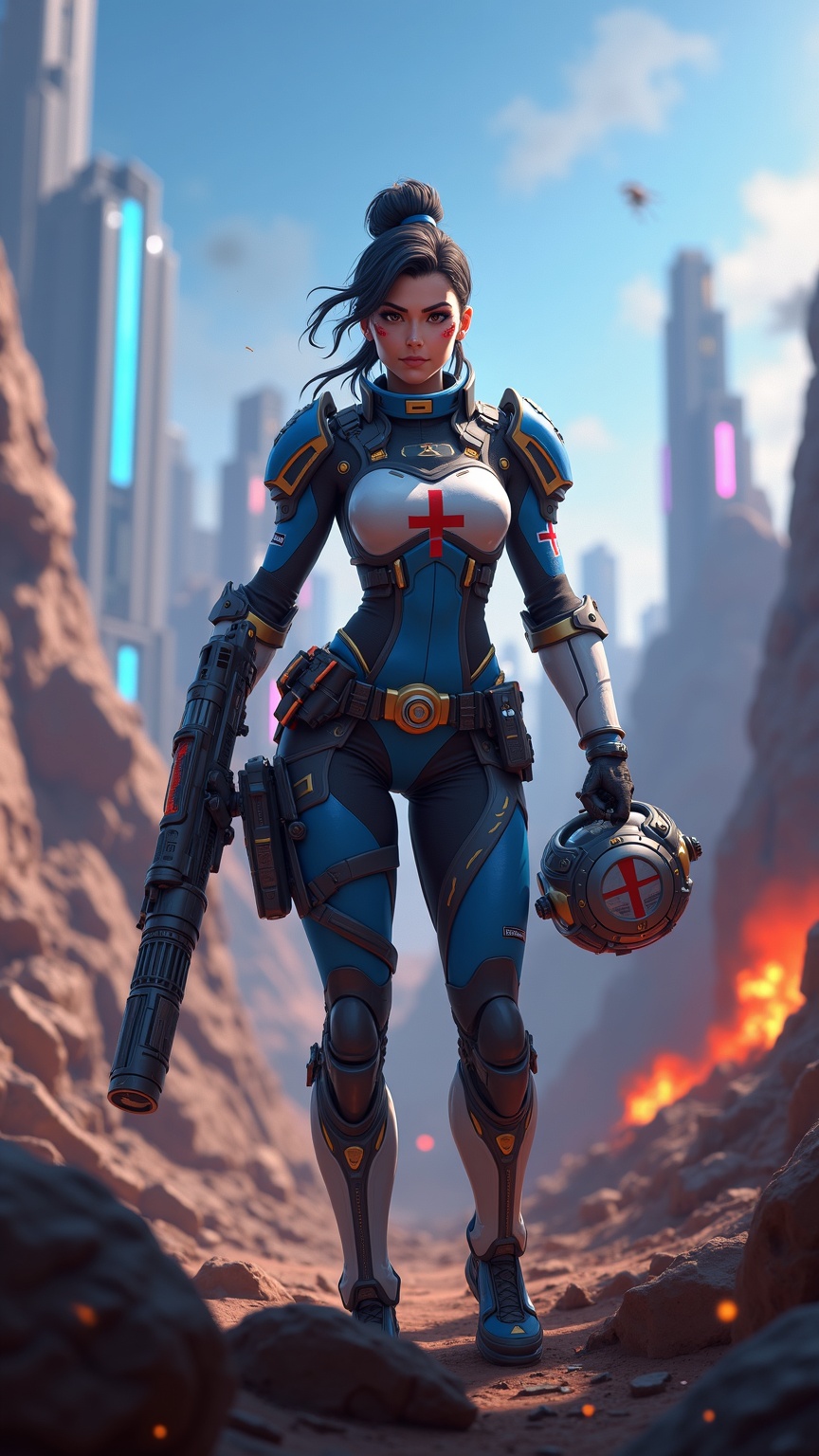
prompt
**Prompt:** *"Dynamic action shot of Lifeline from *Apex Legends*, a battle-hardened combat medic in a futuristic hero shooter. She wears her signature blue and white armor with gold accents, a red cross emblem on her chest, and fingerless gloves. Her confident stance exudes readiness, holding her *D.O.C. Heal Drone* in one hand and her *Peacekeeper* shotgun in the other. The backdrop is a war-torn Kings Canyon battlefield—crumbling ruins, neon-lit skyscrapers in the distance, and smoke billowing from explosions. The scene is vibrant yet gritty, with dramatic lighting casting long shadows. The mood is intense yet hopeful, capturing Lifeline’s role as a resilient healer in the chaos of the Apex Games."* *(Characters: 999)*
Detailed Analysis of the Flux AI Image Prompt
Analyze the detailed prompt used to generate the image with Flux AI Image Generator.
Explore Flux Prompts for the Flux AI Image Generator
How to generate image by Flux.1 dev
Follow these four simple steps to create your desired image.
Step 1: Enter Your Text (Feel free to refine your prompt for better results)
Step 2: Choose Image Aspect Ratio
Step 3: Select Your Flux Model:
Step 4: Click the Generate Button and Wait a Few Seconds for Your Image
Related Flux AI tools for prompts about Flux.1 dev
Discover advanced tools from Flux AI to boost your creative workflow.