Warm Vibes in a Cozy Café - Flux.1.1 pro
Prompt
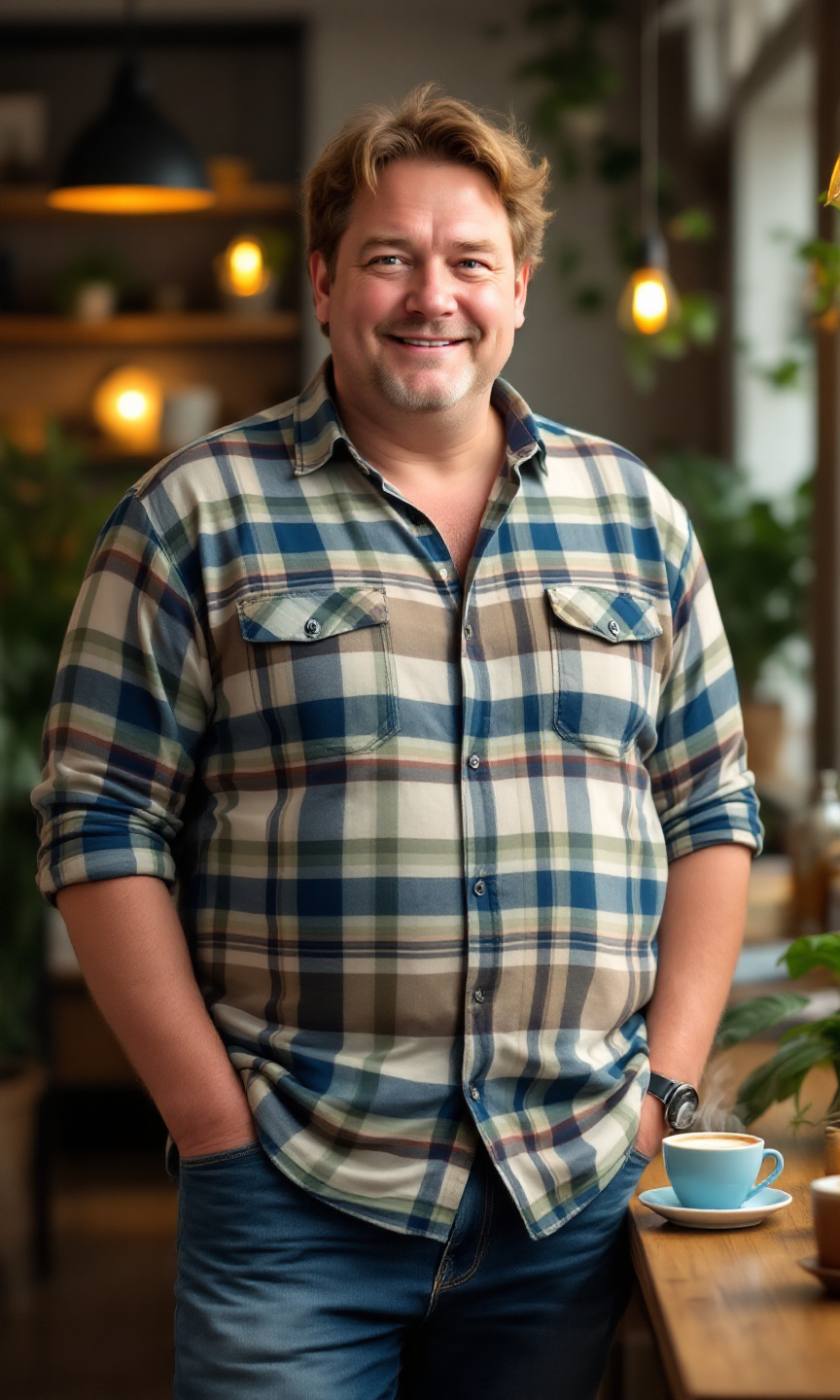
A short, stout man stands confidently in a cozy café. He has thinning, light brown hair that is slightly tousled and a round face with soft features. His skin tone is fair with a hint of rosy cheeks. He wears a vibrant plaid shirt in shades of blue, green, and white, buttoned up to the collar, and a pair of comfortable, slightly faded blue jeans that fit him well. His posture is relaxed, with one hand casually resting on the table and the other holding a steaming cup of coffee. He wears a warm smile, exuding a friendly demeanor, with crinkled eyes that suggest a sense of humor. The café is filled with soft, ambient lighting, wooden tables, and a few potted plants, creating a welcoming atmosphere.
Análise Detalhada do Prompt de Imagem Flux IA
Analise o prompt detalhado usado para gerar a imagem com o Flux IA Image Generator.
Explore Prompts Flux para o Gerador de Imagens
Como gerar uma imagem por Flux.1.1 pro
Siga estes quatro passos simples para criar a imagem desejada.
Passo 1: Insira seu texto (Sinta-se à vontade para refinar seu prompt para melhores resultados)
Passo 2: Escolha a proporção da imagem
Passo 3: Selecione seu modelo Flux:
Passo 4: Clique no botão Gerar e aguarde alguns segundos para sua imagem
Ferramentas Flux IA relacionadas a prompts sobre Flux.1.1 pro
Descubra ferramentas avançadas da Flux IA para melhorar seu fluxo de trabalho criativo.