Ratatouille - Flux.1 dev
Prompt
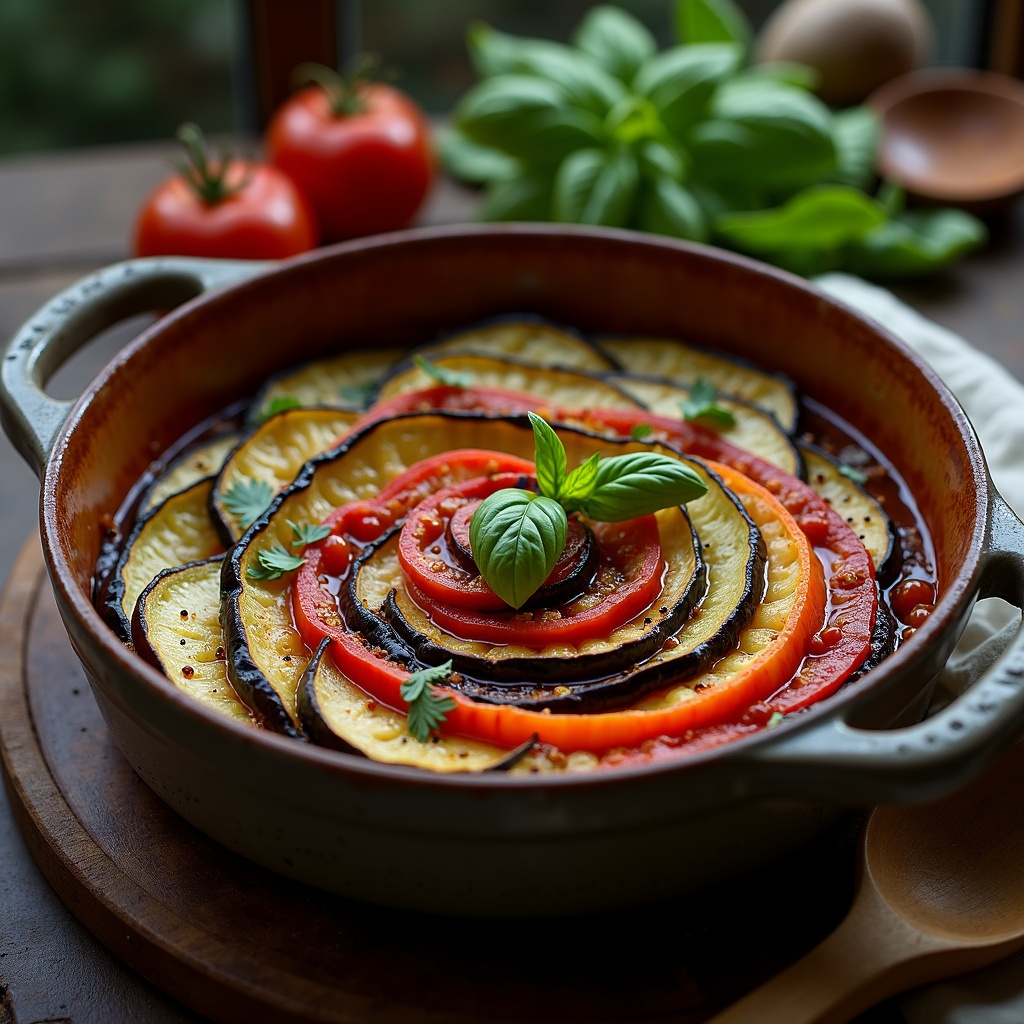
**Prompt:** "A vibrant, rustic Ratatouille arranged in a perfect spiral within a weathered ceramic dish, showcasing layers of thinly sliced zucchini, eggplant, and tomatoes in rich hues of deep purple, emerald green, and ruby red. The vegetables glisten with a glossy olive oil sheen, steam rising gently from the warm, herb-infused stew beneath. Fresh basil leaves scatter across the top, adding a pop of bright green. Soft, diffused natural light streams through a sunlit Provençal kitchen window, casting delicate shadows and highlighting the dish's textures—silky eggplant, tender peppers, and caramelized edges. Shot in a warm, inviting food photography style with a shallow depth of field, focusing on the intricate layers while a wooden spoon rests casually beside the dish, hinting at a home-cooked meal.
Análise Detalhada do Prompt de Imagem Flux IA
Analise o prompt detalhado usado para gerar a imagem com o Flux IA Image Generator.
Explore Prompts Flux para o Gerador de Imagens
Como gerar uma imagem por Flux.1 dev
Siga estes quatro passos simples para criar a imagem desejada.
Passo 1: Insira seu texto (Sinta-se à vontade para refinar seu prompt para melhores resultados)
Passo 2: Escolha a proporção da imagem
Passo 3: Selecione seu modelo Flux:
Passo 4: Clique no botão Gerar e aguarde alguns segundos para sua imagem
Ferramentas Flux IA relacionadas a prompts sobre Flux.1 dev
Descubra ferramentas avançadas da Flux IA para melhorar seu fluxo de trabalho criativo.