Rail - Flux.1.1 pro

Rail
ความละเอียด: 1024x1024ขนาดภาพ: 241.8 KBเวลาสร้าง: 2025 / 08 / 10

พรอมต์

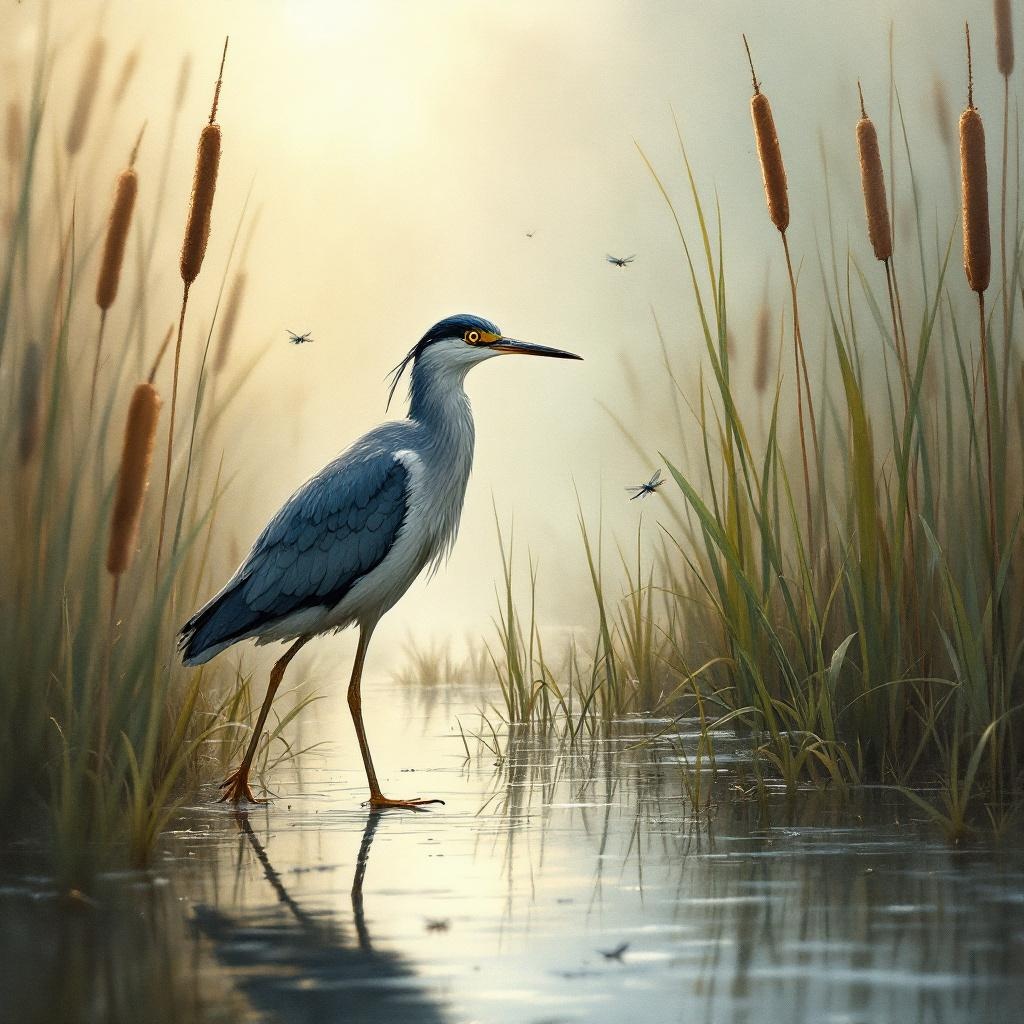
**Image Prompt:** A sleek, long-legged rail stands poised at the edge of a misty marsh, its iridescent blue-black feathers glistening with dew. Its slender beak tilts slightly, eyes sharp and alert, as it steps delicately through the reeds. The scene is rendered in a semi-realistic watercolor style, with soft, diffused lighting casting a golden haze over the wetland. The color palette blends muted greens, deep blues, and earthy browns, evoking a serene, dawn-lit atmosphere. Shot from a low angle to emphasize the rail’s elegance, the composition frames the bird amidst towering cattails and reflective water. Dragonflies hover nearby, adding movement to the tranquil scene.

โมเดล
Flux.1.1 pro
ลายน้ำ:
ลิขสิทธิ์: ผู้ใช้ที่ชำระเงินเป็นเจ้าของสิทธิ์ในภาพของตน
ส่วนลด 20% สำหรับแผนรายปี

การวิเคราะห์รายละเอียดของ Prompt ภาพ Flux AI

วิเคราะห์ Prompt รายละเอียดที่ใช้ในการสร้างภาพด้วย Flux AI Image Generator.

หัวข้อภาพ : Rail
Prompt : **Image Prompt:** A sleek, long-legged rail stands poised at the edge of a misty marsh, its iridescent blue-black feathers glistening with dew. Its slender beak tilts slightly, eyes sharp and alert, as it steps delicately through the reeds. The scene is rendered in a semi-realistic watercolor style, with soft, diffused lighting casting a golden haze over the wetland. The color palette blends muted greens, deep blues, and earthy browns, evoking a serene, dawn-lit atmosphere. Shot from a low angle to emphasize the rail’s elegance, the composition frames the bird amidst towering cattails and reflective water. Dragonflies hover nearby, adding movement to the tranquil scene.
ขนาด
1024x1024
โมเดล
Flux.1.1 pro
ราคา
50 เครดิต/ภาพ
รูปแบบ
image/jpeg
หมวดหมู่

สำรวจคำแนะนำ Flux สำหรับตัวสร้างภาพ AI

ค้นพบคำแนะนำเพิ่มเติม

วิธีสร้างภาพโดย Flux.1.1 pro

ติดตามขั้นตอนง่าย ๆ สี่ขั้นตอนเพื่อสร้างภาพที่คุณต้องการ.

ขั้นตอนที่ 1: ป้อนข้อความของคุณ (สามารถปรับแต่ง Prompt ของคุณเพื่อผลลัพธ์ที่ดียิ่งขึ้น)

ขั้นตอนที่ 2: เลือกอัตราส่วนภาพ

ขั้นตอนที่ 3: เลือกโมเดล Flux ของคุณ:

ขั้นตอนที่ 4: คลิกปุ่มสร้างและรอสักครู่เพื่อรับภาพของคุณ

เครื่องมือ Flux AI ที่เกี่ยวข้องกับ Prompt เกี่ยวกับ Flux.1.1 pro

ค้นพบเครื่องมือขั้นสูงจาก Flux AI เพื่อเพิ่มประสิทธิภาพการทำงานสร้างสรรค์ของคุณ.

เครื่องมือ Flux AI

เครื่องมือสร้างภาพ Flux AIเครื่องมือสร้างวิดีโอ Flux AIภาพสู่ภาพ AIFlux Kontext AIเครื่องสร้างภาพ Nano Bananaเครื่องสร้างอวตาร AIภาพถ่ายเป็นการ์ตูนถ่ายภาพสินค้าด้วย AIAI ลองเสื้อผ้าเสมือนจริงเครื่องมือฟื้นฟูภาพถ่ายเก่าเครื่องสร้างภาพถ่ายหน้าตรงด้วย AIเครื่องสร้างทรงผมด้วย AIสตูดิโอศิลปะจิบลิเครื่องเปลี่ยนพื้นหลังด้วย AIเครื่องมือเพิ่มสีรูปภาพด้วย AIเครื่องมือลบวัตถุออกจากรูปภาพเครื่องมือสร้างอะนิเมะ AIเครื่องมือสร้างฟิกเกอร์แอคชั่น AIเครื่องมือสร้างกล่องตุ๊กตาบาร์บี้เครื่องสร้างตุ๊กตาผ้า AIเครื่องสร้างสไตล์ซิมป์สันส์ AIStudio Ghibli AINano Banana อินเพ้นท์เครื่องกำเนิดโปสเตอร์ AIQwen Image AIFlux สมจริงGoogle Imagen4 AISeedream 4.0 ภาพ AIแก้ไขภาพ QwenFlux Krea AIGemini Flash แก้ไขรูปภาพเครื่องมือสร้างภาพ Recraft AIเครื่องมือสร้างภาพ Flux LoraFlux Redux AIFlux Fill AIFlux Canny/Depth AIเครื่องมือสร้างเหรียญ AIKrea AIปฏิทินปีใหม่ AIเครื่องสร้างภาพฮาโลวีนด้วย AI

บทความที่เกี่ยวข้องกับ Prompt Flux.1.1 pro