Majestic Eagle: Freedom in Flight - Flux.1 dev
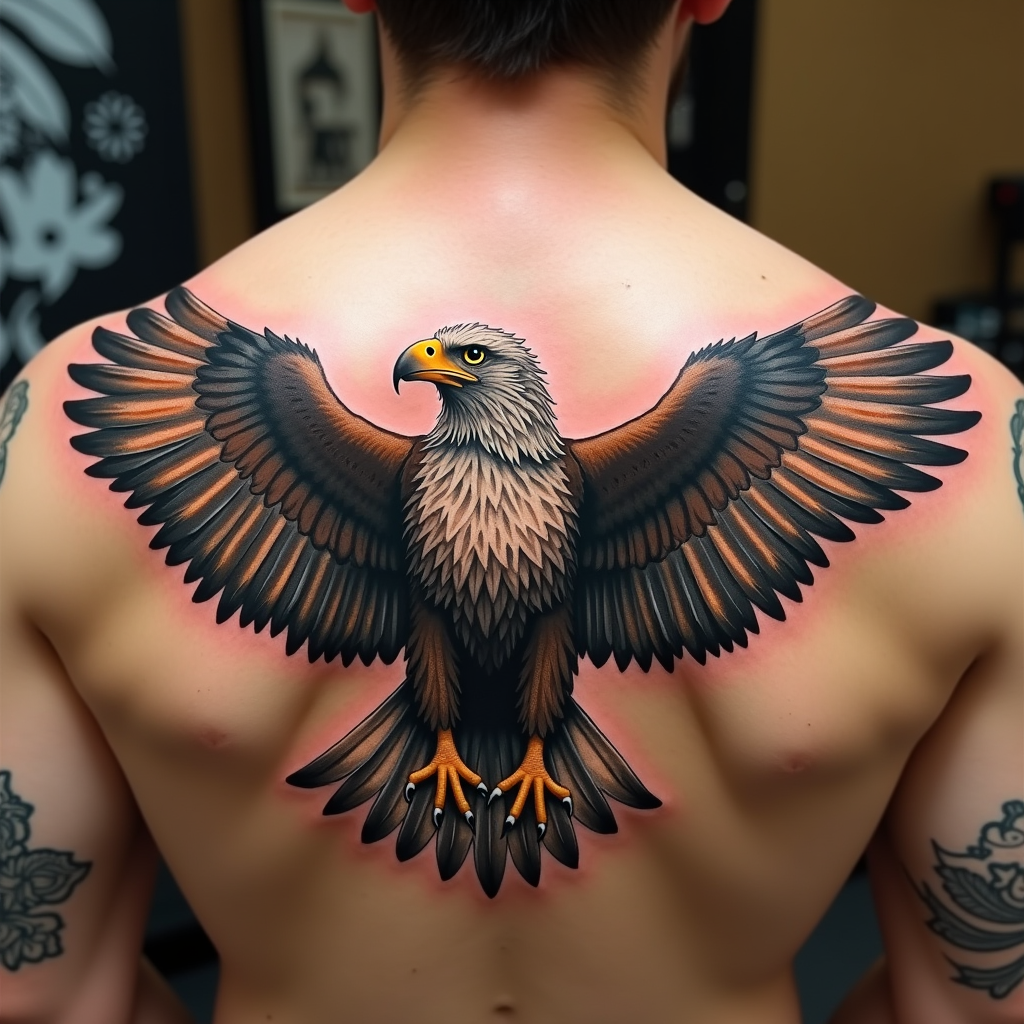
Majestic Eagle: Freedom in Flight
الدقة: 1024x1024حجم الصورة: 850.1 KBوقت الإنشاء: 2024 / 10 / 23

الموجه

Create a realistic tattoo design of an eagle with spread wings on the shoulder. The eagle should be in mid-flight, with intricate feathers and sharp talons. The artistic style is highly detailed and realistic, resembling a 3D rendering. The tattoo should cover the entire shoulder area, approximately 10 inches in diameter. Use a vibrant color palette with shades of brown, white, and golden hues, accentuated by deep blacks for contrast. Incorporate subtle textures to give the feathers a natural look. The eagle's eyes should be piercing and expressive. This design draws from Native American cultural symbolism, representing freedom and strength. The overall mood is powerful and majestic, with a sense of dynamic movement.

النموذج
Flux.1 dev
علامة مائية:
حقوق الطبع والنشر: المستخدمون المدفوعون يمتلكون حقوق صورهم.
خصم 20% على الاشتراك السنوي

تحليل مفصل حول Prompt صورة Flux AI

قم بتحليل الـ Prompt التفصيلي المستخدم لإنشاء الصورة بواسطة Flux AI Image Generator.

عنوان الصورة : Majestic Eagle: Freedom in Flight
Prompt : Create a realistic tattoo design of an eagle with spread wings on the shoulder. The eagle should be in mid-flight, with intricate feathers and sharp talons. The artistic style is highly detailed and realistic, resembling a 3D rendering. The tattoo should cover the entire shoulder area, approximately 10 inches in diameter. Use a vibrant color palette with shades of brown, white, and golden hues, accentuated by deep blacks for contrast. Incorporate subtle textures to give the feathers a natural look. The eagle's eyes should be piercing and expressive. This design draws from Native American cultural symbolism, representing freedom and strength. The overall mood is powerful and majestic, with a sense of dynamic movement.
الحجم
1024x1024
النموذج
Flux.1 dev
السعر
30 رصيد/صورة
التنسيق
image/webp
الفئة

استكشف نصوص Flux لمنشئ صور Flux AI

اكتشف نصوصاً إضافية

كيفية إنشاء صورة بواسطة Flux.1 dev

اتبع هذه الخطوات الأربع البسيطة لإنشاء الصورة التي ترغب فيها.

الخطوة 1: أدخل نصك (لا تتردد في تحسين الـ Prompt للحصول على نتائج أفضل)

الخطوة 2: اختر نسبة عرض الصورة

الخطوة 3: اختر نموذج Flux الخاص بك:

الخطوة 4: انقر على زر التوليد وانتظر بضع ثوانٍ للحصول على صورتك

أدوات Flux AI ذات الصلة بالـ Prompt Flux.1 dev

اكتشف أدوات متقدمة من Flux AI لتعزيز سير عملك الإبداعي.

أدوات Flux AI

مولد صور Flux AIمولد فيديوهات Flux AIصورة إلى صورة AIFlux السياق AIمولد صور نانو بنانامولد أفاتار الذكاء الاصطناعيتحويل الصور إلى كرتونتصوير المنتجات بالذكاء الاصطناعيتجربة افتراضية بالذكاء الاصطناعيمرمم الصور القديمةمولد صور البورتريه بالذكاء الاصطناعيمولد تسريحات الشعر بالذكاء الاصطناعياستوديو فن جيبليمغير خلفية الصور بالذكاء الاصطناعيملون الصور بالذكاء الاصطناعيأداة إزالة العناصر من الصورمولد أنمي AIمولد تماثيل الحركة بالذكاء الاصطناعيمولد علبة دمية باربيمولد الدمى المحشوة بالذكاء الاصطناعيمولد نمط سيمبسون بالذكاء الاصطناعياستوديو جيبلي بالذكاء الاصطناعينانو بنانا إنبينتمولد ملصقات AIتشوين لإنشاء الصور بالذكاء الاصطناعيFlux الواقعيةجوجل إيمجن 4 AIسيدريم 4.0 للذكاء الاصطناعي للصورتحرير صور تشوينFlux Krea AIمحرر صور Gemini فلاشمولد صور Recraft AIمولد صور Flux LoraFlux Redux AIFlux Fill AIFlux Canny/Depth AIمولد ميداليات AIKrea AIتقويم رأس السنة بالذكاء الاصطناعيمولد صور هالوين بالذكاء الاصطناعي

مقالات ذات صلة بالـ Prompt Flux.1 dev