Majestic Eagle: Freedom in Flight - Flux.1 dev
Eingabe
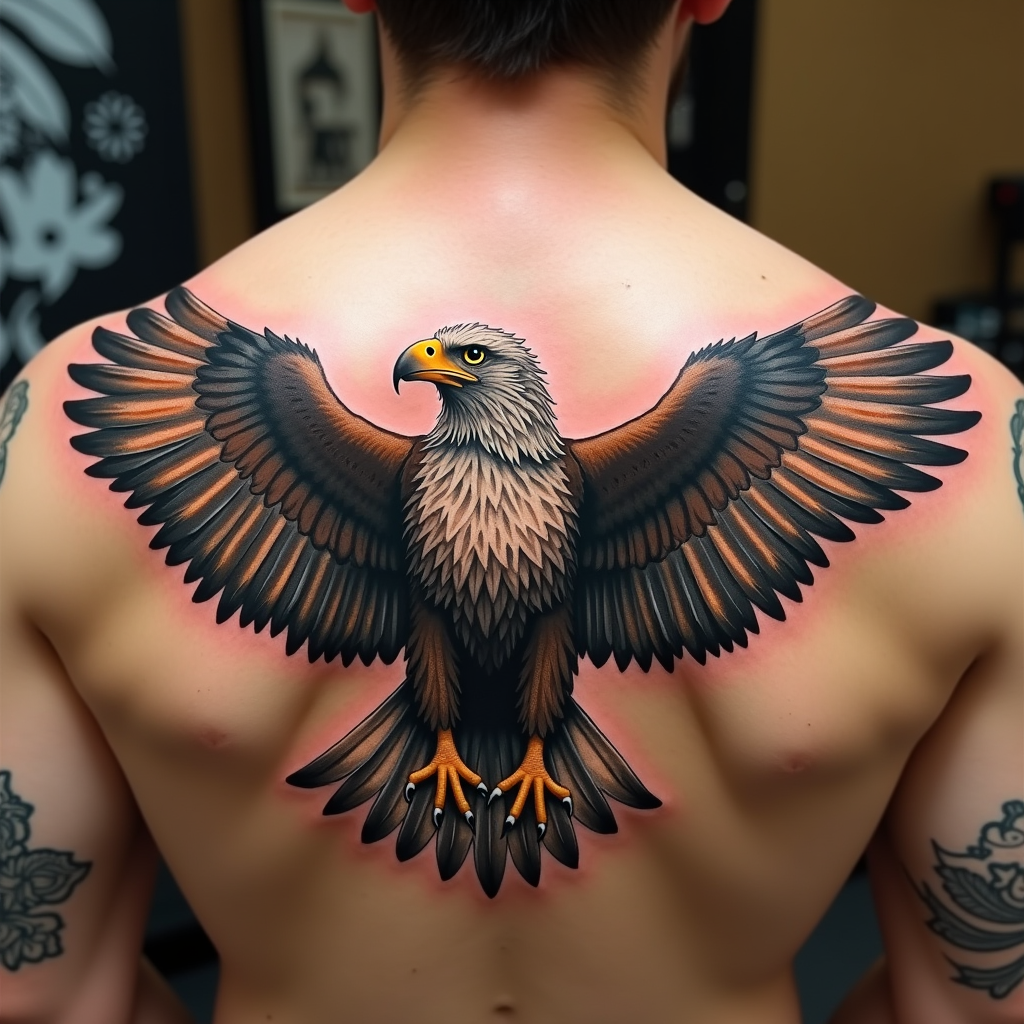
Create a realistic tattoo design of an eagle with spread wings on the shoulder. The eagle should be in mid-flight, with intricate feathers and sharp talons. The artistic style is highly detailed and realistic, resembling a 3D rendering. The tattoo should cover the entire shoulder area, approximately 10 inches in diameter. Use a vibrant color palette with shades of brown, white, and golden hues, accentuated by deep blacks for contrast. Incorporate subtle textures to give the feathers a natural look. The eagle's eyes should be piercing and expressive. This design draws from Native American cultural symbolism, representing freedom and strength. The overall mood is powerful and majestic, with a sense of dynamic movement.
Detaillierte Analyse des Flux KI Image Prompt
Analysiere den detaillierten Prompt, der zur Erstellung des Bildes mit dem Flux KI Image Generator verwendet wurde.
Flux-Prompts für den KI-Bildgenerator erkunden
Wie man ein Bild generiert von Flux.1 dev
Folge diesen vier einfachen Schritten, um das gewünschte Bild zu erstellen.
Schritt 1: Gib deinen Text ein (Fühle dich frei, deinen Prompt für bessere Ergebnisse zu verfeinern)
Schritt 2: Wähle das Bildseitenverhältnis
Schritt 3: Wähle dein Flux-Modell:
Schritt 4: Klicke auf die Generieren-Schaltfläche und warte ein paar Sekunden auf dein Bild
Verwandte Flux KI Tools für Prompts über Flux.1 dev
Entdecke fortschrittliche Tools von Flux KI, um deinen kreativen Workflow zu verbessern.