Majestic Eagle: Freedom in Flight - Flux.1 dev
Invite
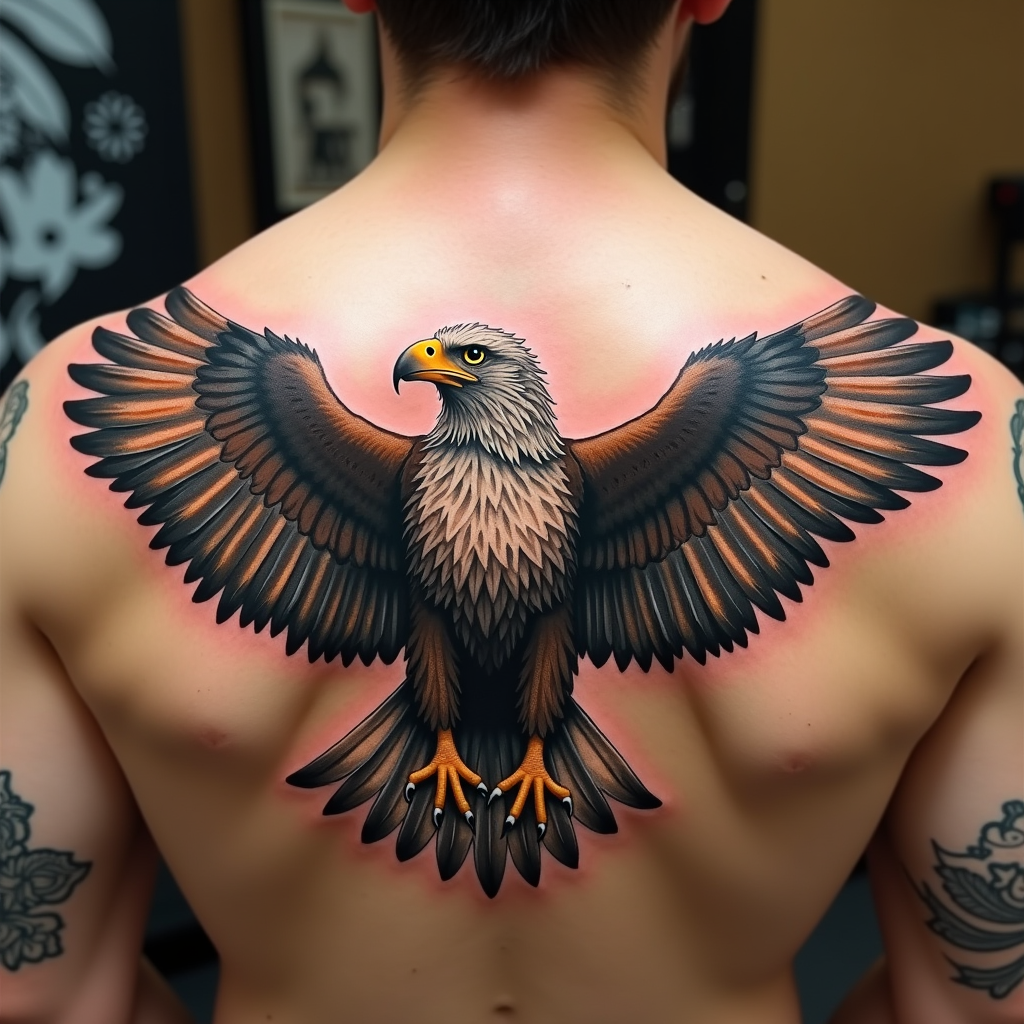
Create a realistic tattoo design of an eagle with spread wings on the shoulder. The eagle should be in mid-flight, with intricate feathers and sharp talons. The artistic style is highly detailed and realistic, resembling a 3D rendering. The tattoo should cover the entire shoulder area, approximately 10 inches in diameter. Use a vibrant color palette with shades of brown, white, and golden hues, accentuated by deep blacks for contrast. Incorporate subtle textures to give the feathers a natural look. The eagle's eyes should be piercing and expressive. This design draws from Native American cultural symbolism, representing freedom and strength. The overall mood is powerful and majestic, with a sense of dynamic movement.
Analyse Détaillée du Prompt d'Image Flux IA
Analysez le prompt détaillé utilisé pour générer l'image avec Flux IA Image Generator.
Explorez les invites Flux IA
Comment générer une image par Flux.1 dev
Suivez ces quatre étapes simples pour créer l'image désirée.
Étape 1 : Entrez votre texte (N'hésitez pas à affiner votre prompt pour de meilleurs résultats)
Étape 2 : Choisissez le ratio d'aspect de l'image
Étape 3 : Sélectionnez votre modèle Flux :
Étape 4 : Cliquez sur le bouton Générer et attendez quelques secondes pour votre image
Outils Flux IA liés aux prompts sur Flux.1 dev
Découvrez des outils avancés de Flux IA pour booster votre flux de travail créatif.