Majestic Eagle: Freedom in Flight - Flux.1 dev
Indicador
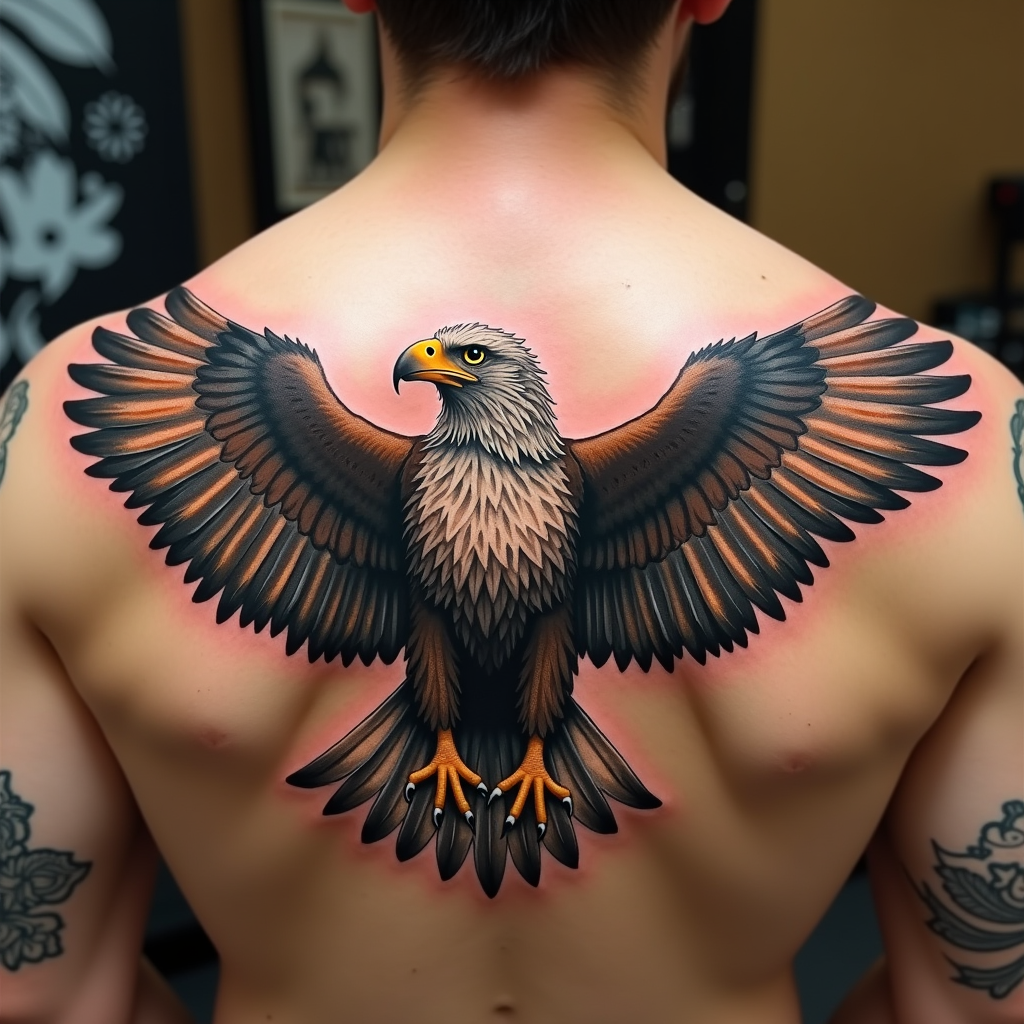
Create a realistic tattoo design of an eagle with spread wings on the shoulder. The eagle should be in mid-flight, with intricate feathers and sharp talons. The artistic style is highly detailed and realistic, resembling a 3D rendering. The tattoo should cover the entire shoulder area, approximately 10 inches in diameter. Use a vibrant color palette with shades of brown, white, and golden hues, accentuated by deep blacks for contrast. Incorporate subtle textures to give the feathers a natural look. The eagle's eyes should be piercing and expressive. This design draws from Native American cultural symbolism, representing freedom and strength. The overall mood is powerful and majestic, with a sense of dynamic movement.
Análisis Detallado del Prompt de Imagen de Flux IA
Analiza el prompt detallado utilizado para generar la imagen con Flux IA Image Generator.
Explorar Mensajes para Flux IA
Cómo generar una imagen por Flux.1 dev
Sigue estos cuatro sencillos pasos para crear la imagen que deseas.
Paso 1: Ingresa tu texto (No dudes en refinar tu prompt para mejores resultados)
Paso 2: Elige la relación de aspecto de la imagen
Paso 3: Selecciona tu modelo Flux:
Paso 4: Haz clic en el botón Generar y espera unos segundos para tu imagen
Herramientas Flux IA relacionadas para prompts sobre Flux.1 dev
Descubre herramientas avanzadas de Flux IA para potenciar tu flujo de trabajo creativo.