Majestic Eagle: Freedom in Flight - Flux.1 dev
prompt
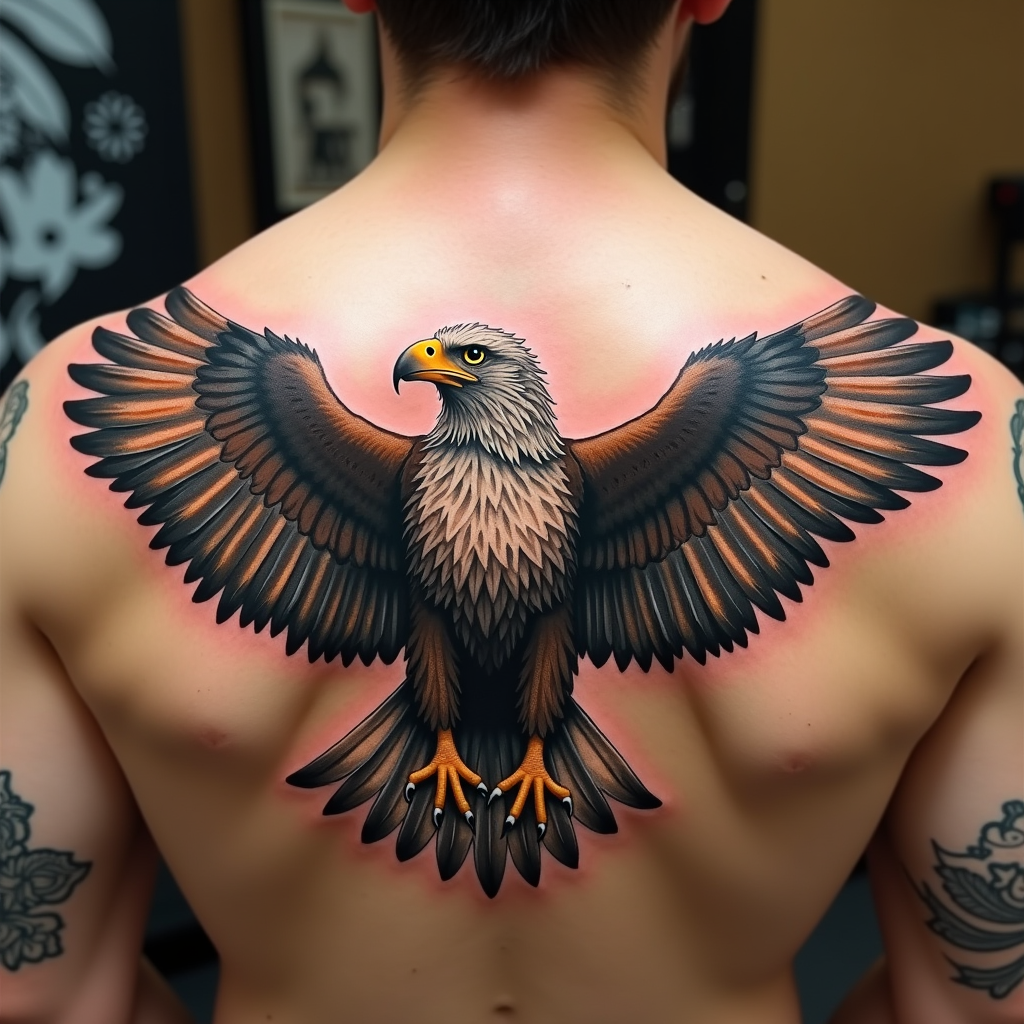
Create a realistic tattoo design of an eagle with spread wings on the shoulder. The eagle should be in mid-flight, with intricate feathers and sharp talons. The artistic style is highly detailed and realistic, resembling a 3D rendering. The tattoo should cover the entire shoulder area, approximately 10 inches in diameter. Use a vibrant color palette with shades of brown, white, and golden hues, accentuated by deep blacks for contrast. Incorporate subtle textures to give the feathers a natural look. The eagle's eyes should be piercing and expressive. This design draws from Native American cultural symbolism, representing freedom and strength. The overall mood is powerful and majestic, with a sense of dynamic movement.
Analisi Dettagliata del Prompt Immagine Flux AI
Analizza il prompt dettagliato utilizzato per generare l'immagine con il Generatore Immagini Flux AI.
Esplora i Prompt Flux per il Generatore Immagini Flux AI
Come generare immagini con Flux.1 dev
Segui questi quattro semplici passaggi per creare l'immagine desiderata.
Passaggio 1: Inserisci il Tuo Testo (Sentiti libero di perfezionare il prompt per risultati migliori)
Passaggio 2: Scegli le Proporzioni dell'Immagine
Passaggio 3: Seleziona il Tuo Modello Flux:
Passaggio 4: Clicca il Pulsante Genera e Attendi Alcuni Secondi per la Tua Immagine
Strumenti Flux AI correlati per prompt su Flux.1 dev
Scopri strumenti avanzati di Flux AI per potenziare il tuo flusso di lavoro creativo.