Neon Shadows: Code & Chaos - Flux.1 dev
prompt
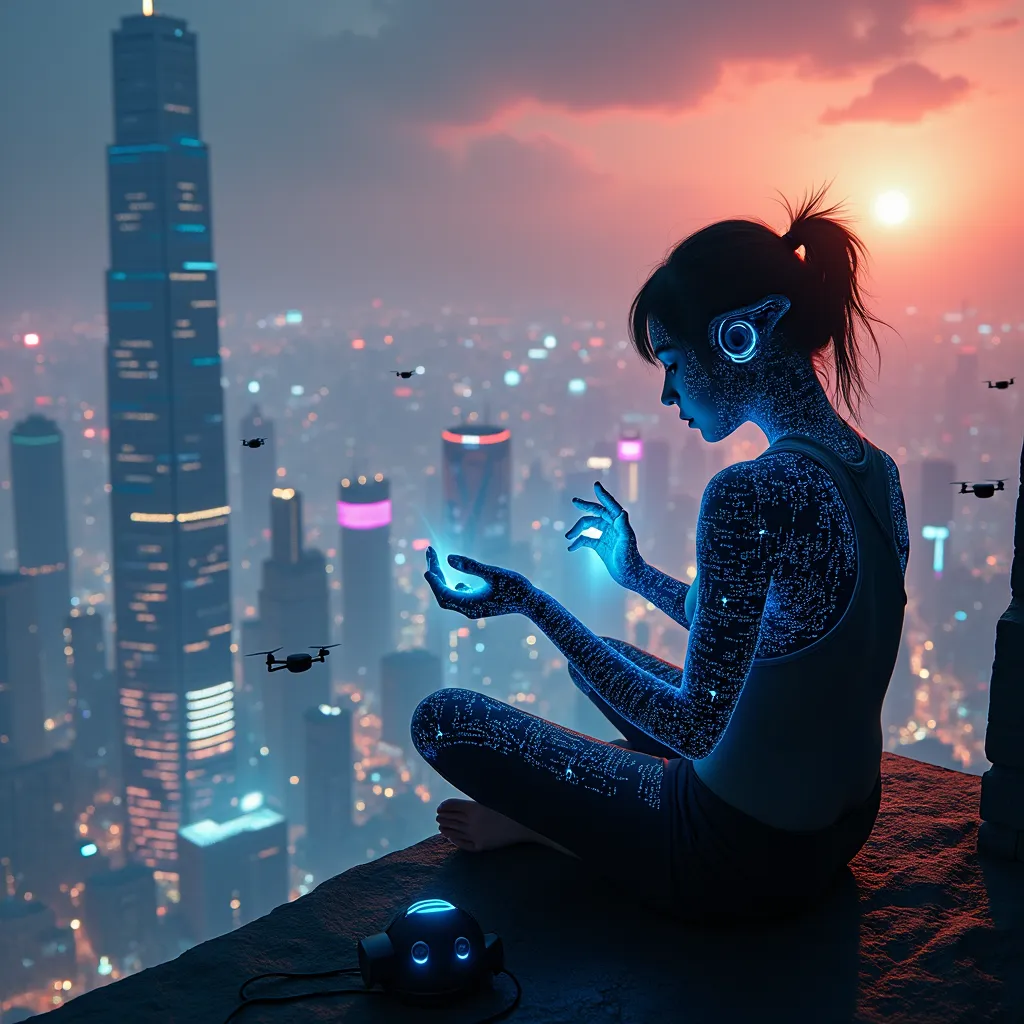
A rogue programmer, silhouetted against a holographic cityscape, sits cross-legged atop a neon-lit skyscraper. Her fingers dance across an invisible interface, manipulating streams of iridescent data that swirl around her like a digital tornado. The city below is a maze of towering structures, their surfaces alive with pulsating advertisements and scrolling binary code. Quantum circuitry patterns trace intricate designs across the programmer's skin, glowing with an ethereal blue light. In the distance, a shimmering distortion warps the fabric of reality, hinting at a temporal anomaly. The sky above is a tapestry of pollution and augmented reality overlays, casting an eerie, orange-purple glow over the scene. Floating drones with camera eyes hover nearby, their lenses focused on the hacker's illicit activities. At her feet lies a discarded neural interface headset, its exposed wires sparking with residual energy. The entire scene is bathed in a cybernetic chiaroscuro of deep shadows and vibrant, artificial light sources, emphasizing the contrast between the physical and digital realms.
Detailed Analysis of the Flux AI Image Prompt
Analyze the detailed prompt used to generate the image with Flux AI Image Generator.
Explore Flux Prompts for the Flux AI Image Generator
How to generate image by Flux.1 dev
Follow these four simple steps to create your desired image.
Step 1: Enter Your Text (Feel free to refine your prompt for better results)
Step 2: Choose Image Aspect Ratio
Step 3: Select Your Flux Model:
Step 4: Click the Generate Button and Wait a Few Seconds for Your Image
Related Flux AI tools for prompts about Flux.1 dev
Discover advanced tools from Flux AI to boost your creative workflow.