《The Melancholy of Haruhi Suzumiya》-Haruhi Suzumiya - Flux.1 dev
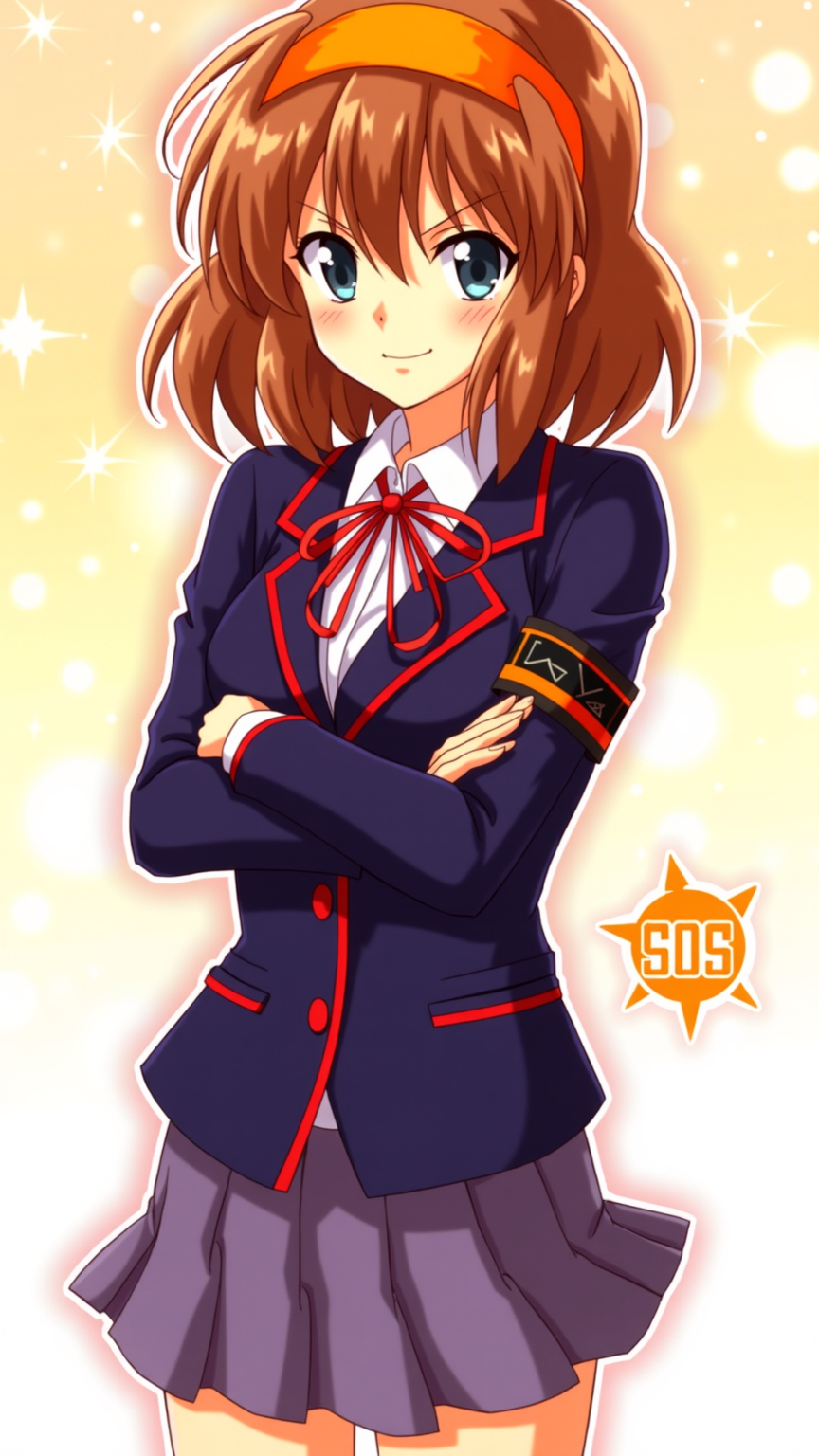
prompt
**Prompt:** "Haruhi Suzumiya in a vibrant anime sticker style, featuring her iconic orange headband, shoulder-length chestnut-brown hair, and energetic expression. She wears her standard North High School uniform—a navy blue blazer with red trim, white shirt, and red ribbon—paired with a short pleated skirt. Her pose is dynamic, arms crossed with a confident, mischievous smirk, capturing her bold personality. The background is a bright, bubbly gradient with sparkling effects, emphasizing her playful and unpredictable nature. Include her signature SOS Brigade armband and a stylized 'SOS' logo nearby. The art style is crisp, with bold outlines, exaggerated facial expressions, and vibrant colors, resembling a high-quality anime sticker or decal." (999 characters)
Detailed Analysis of the Flux AI Image Prompt
Analyze the detailed prompt used to generate the image with Flux AI Image Generator.
Explore Flux Prompts for the Flux AI Image Generator
How to generate image by Flux.1 dev
Follow these four simple steps to create your desired image.
Step 1: Enter Your Text (Feel free to refine your prompt for better results)
Step 2: Choose Image Aspect Ratio
Step 3: Select Your Flux Model:
Step 4: Click the Generate Button and Wait a Few Seconds for Your Image
Related Flux AI tools for prompts about Flux.1 dev
Discover advanced tools from Flux AI to boost your creative workflow.