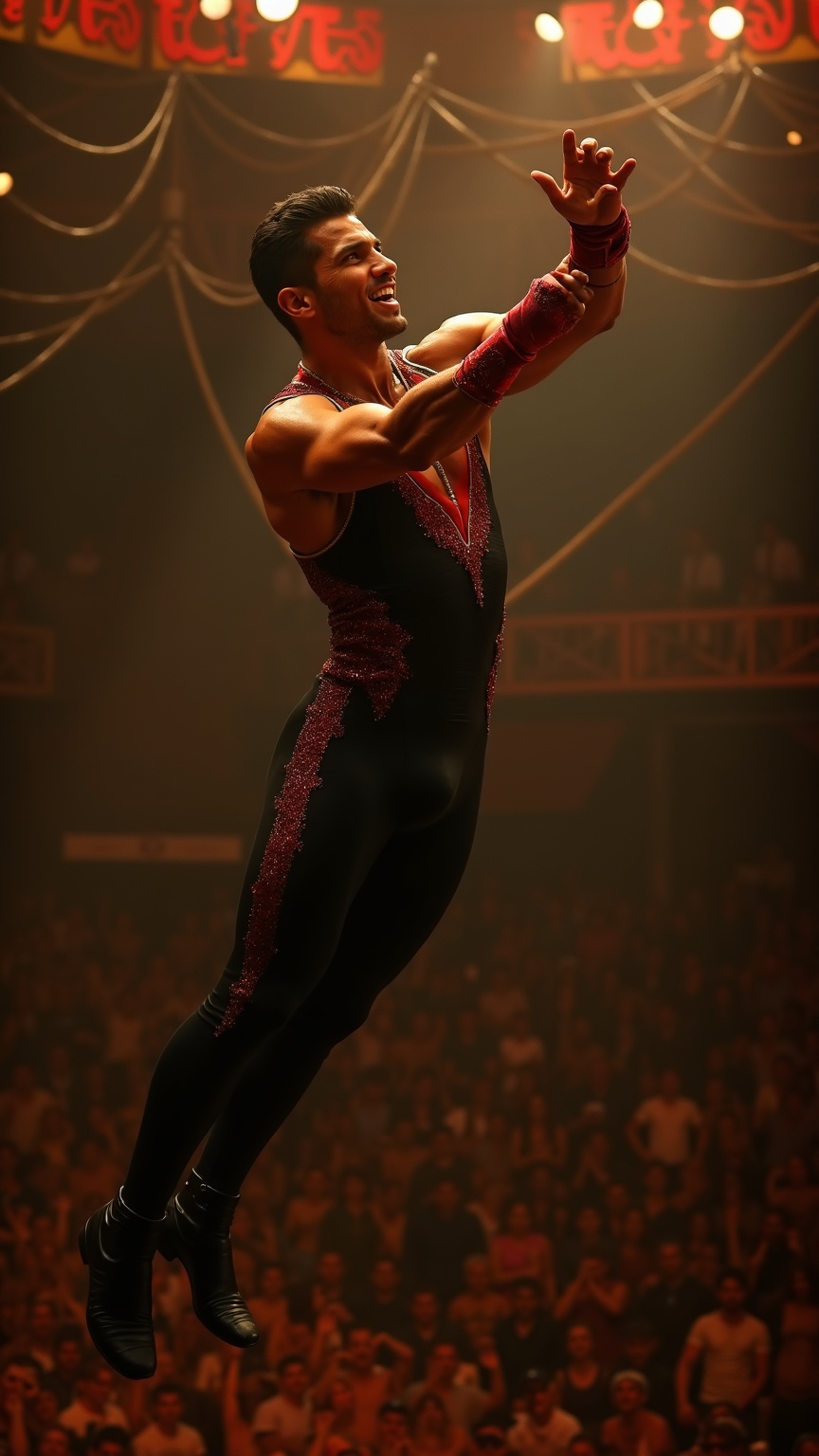
Trapeze artist catching partner mid-air under circus big top - Flux.1 dev
prompt
**Prompt:** A muscular trapeze artist with sharp, chiseled features, short dark hair slicked back, and olive skin glistening under the spotlight. His toned arms and broad shoulders flex as he reaches out mid-air, fingers extended to catch his partner. He wears a sleek, form-fitting black and red sequined leotard with gold trim, matching wristbands, and snug black ankle boots. His expression is intense, focused, lips slightly parted in exertion, eyes locked on his partner. The backdrop is a grand circus big top, bathed in warm golden light, with a blur of cheering spectators below and swirling ropes and rigging overhead. The moment captures dynamic motion—his body arched, legs slightly bent, suspended in mid-flight against the vibrant circus atmosphere.
Detailed Analysis of the Flux AI Image Prompt
Analyze the detailed prompt used to generate the image with Flux AI Image Generator.
Explore Flux Prompts for the Flux AI Image Generator
How to generate image by Flux.1 dev
Follow these four simple steps to create your desired image.
Step 1: Enter Your Text (Feel free to refine your prompt for better results)
Step 2: Choose Image Aspect Ratio
Step 3: Select Your Flux Model:
Step 4: Click the Generate Button and Wait a Few Seconds for Your Image
Related Flux AI tools for prompts about Flux.1 dev
Discover advanced tools from Flux AI to boost your creative workflow.