Kermit vs. Kermit Choices - Flux.1 dev
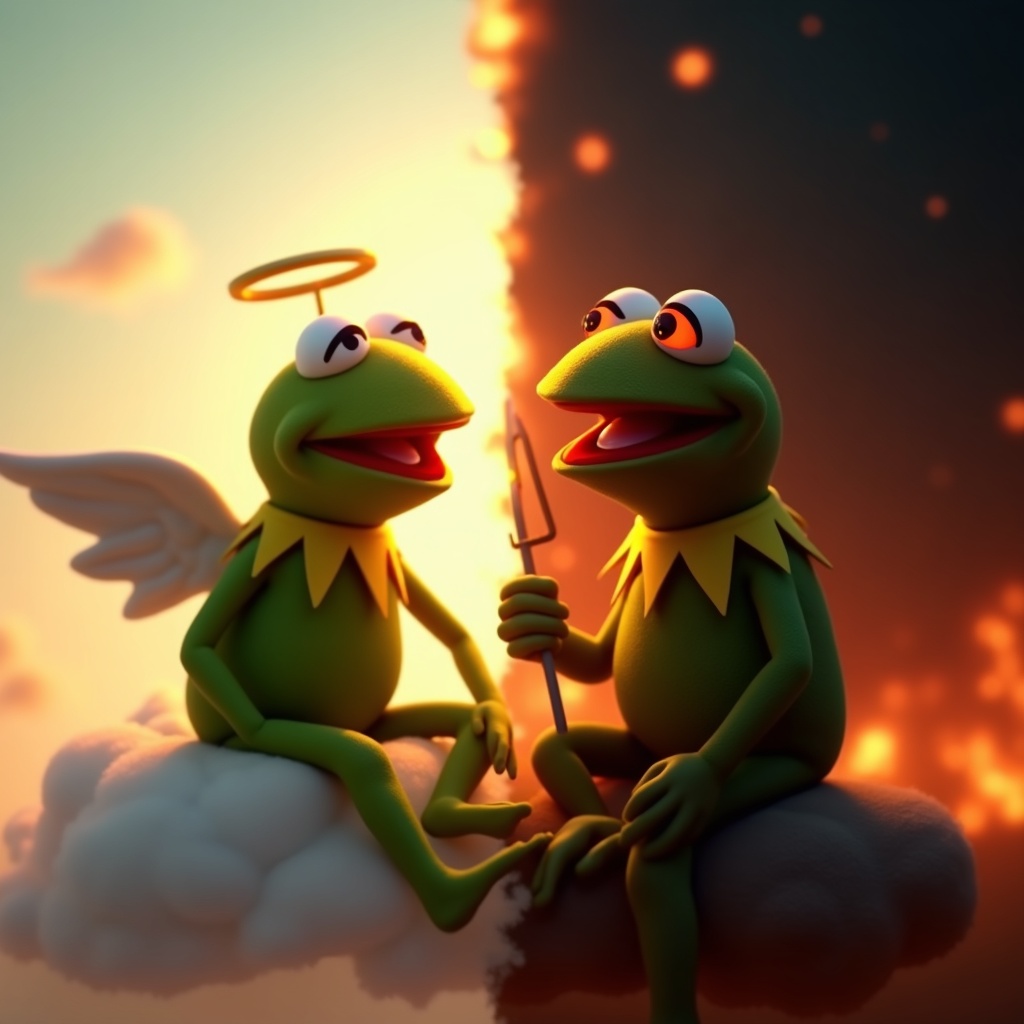
prompt
**Prompt:** "Create a dramatic split-image of Kermit the Frog engaged in an internal struggle, depicting two contrasting versions of himself. On the left, a calm, angelic Kermit bathed in soft golden light, wearing a tiny halo, seated on a fluffy cloud with a serene expression. On the right, a mischievous, shadowy Kermit with glowing red eyes, surrounded by fiery embers, grinning devilishly. The composition is split down the middle with a stark contrast between warm pastels (left) and dark, moody tones (right). The background transitions smoothly from a heavenly sky to a chaotic inferno. Render in a semi-realistic Pixar-style 3D animation, with exaggerated facial expressions and dynamic lighting to emphasize the moral dilemma. Add subtle details like a tiny harp for the 'good' Kermit and a pitchfork for the 'evil' one." (999 characters)
Detailed Analysis of the Flux AI Image Prompt
Analyze the detailed prompt used to generate the image with Flux AI Image Generator.
Explore Flux Prompts for the Flux AI Image Generator
How to generate image by Flux.1 dev
Follow these four simple steps to create your desired image.
Step 1: Enter Your Text (Feel free to refine your prompt for better results)
Step 2: Choose Image Aspect Ratio
Step 3: Select Your Flux Model:
Step 4: Click the Generate Button and Wait a Few Seconds for Your Image
Related Flux AI tools for prompts about Flux.1 dev
Discover advanced tools from Flux AI to boost your creative workflow.