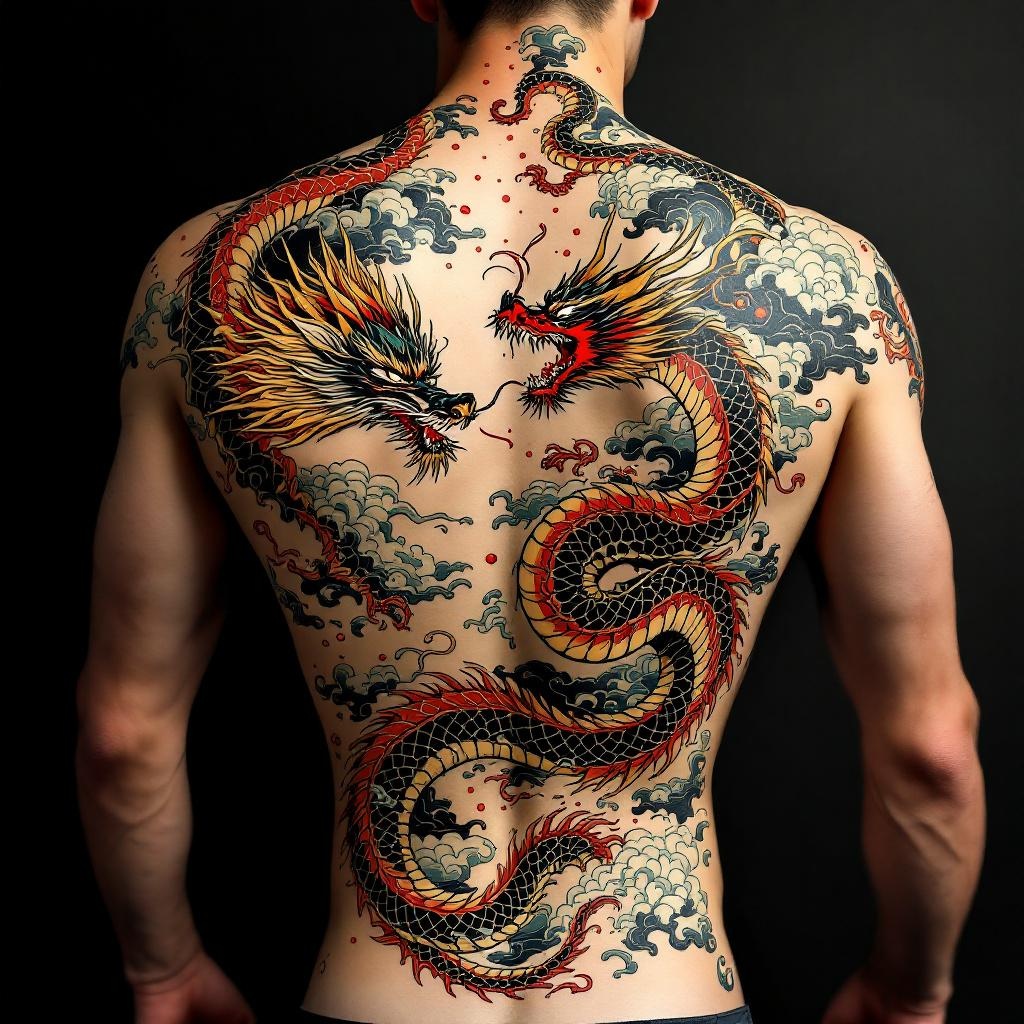
Back Piece-Dragon & Serpent - Flux.1.1 pro
prompt
**Prompt:** "Design a striking back piece tattoo featuring a fierce dragon and a coiling serpent in a dynamic clash, rendered in a bold Japanese traditional style (irezumi). The dragon should have detailed scales, flowing mane, and fiery breath, while the serpent exhibits intricate patterns and a sinuous, muscular body. Place the composition centered on the spine, spanning the full back from shoulders to lower back for maximum impact. Use a vibrant color palette of red, green, gold, and black with subtle shading for depth. Incorporate swirling clouds and water elements for movement. Symbolize power, wisdom, and duality. The mood should be intense yet balanced, honoring classic ukiyo-e artistry with precise linework and rich textures.
Detailed Analysis of the Flux AI Image Prompt
Analyze the detailed prompt used to generate the image with Flux AI Image Generator.
Explore Flux Prompts for the Flux AI Image Generator
How to generate image by Flux.1.1 pro
Follow these four simple steps to create your desired image.
Step 1: Enter Your Text (Feel free to refine your prompt for better results)
Step 2: Choose Image Aspect Ratio
Step 3: Select Your Flux Model:
Step 4: Click the Generate Button and Wait a Few Seconds for Your Image
Related Flux AI tools for prompts about Flux.1.1 pro
Discover advanced tools from Flux AI to boost your creative workflow.