Bicep-Japanese Tiger - Flux.1 schnell
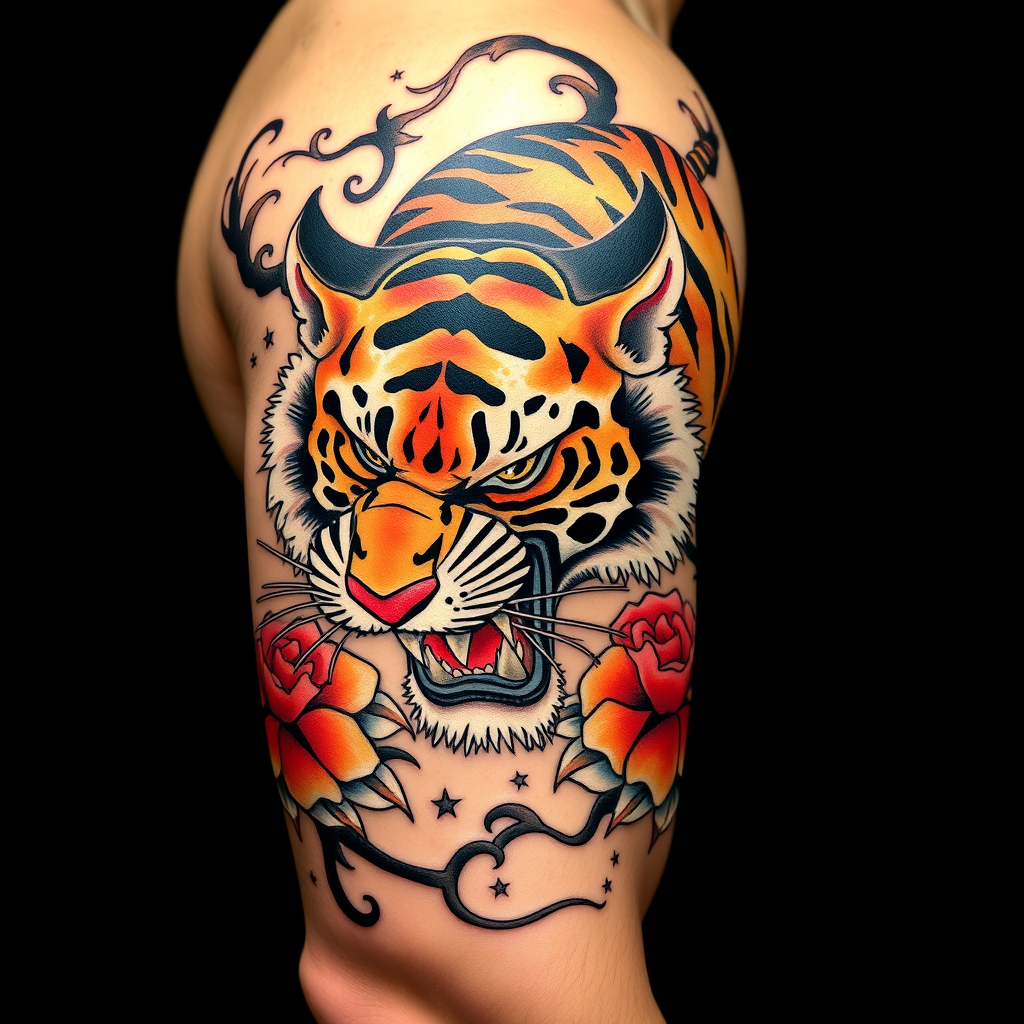
prompt
**Prompt:** A bold **Japanese traditional tattoo (Irezumi)** of a **ferocious tiger** wrapping around the bicep, rendered in **vibrant colors**—deep oranges, blacks, and reds—with **dynamic shading and intricate linework**. The tiger's snarling face should dominate the front, with **paws and claws extended**, blending into **flowing wind bars (kaze-suji) and floral motifs (peonies or chrysanthemums)**. The design should emphasize **movement and power**, with **textured fur details** and **subtle background gradients**. **Black and gray accents** enhance depth, while **gold highlights** add elegance. The tattoo should **follow the bicep's curvature**, sized to fit the arm's natural musculature. Mood: **majestic, fierce, and timeless**.
Detailed Analysis of the Flux AI Image Prompt
Analyze the detailed prompt used to generate the image with Flux AI Image Generator.
Explore Flux Prompts for the Flux AI Image Generator
How to generate image by Flux.1 schnell
Follow these four simple steps to create your desired image.
Step 1: Enter Your Text (Feel free to refine your prompt for better results)
Step 2: Choose Image Aspect Ratio
Step 3: Select Your Flux Model:
Step 4: Click the Generate Button and Wait a Few Seconds for Your Image
Related Flux AI tools for prompts about Flux.1 schnell
Discover advanced tools from Flux AI to boost your creative workflow.